
![EGO Wiry Max 100W USB 3.0 Type - C to C Cable - 20cm/1m/2m [香港行貨] - DIGIBAL ONLINE1](https://img.myshopline.com/image/store/1759472791688/ego-wiry-max-100w-usb-30-type-c-to-c-cable-20cm1m2m-digibal-online-357276.webp?w=800&h=800)
![MOMAX 1-Plug PD20W 2A2C 7位直立拖板 [香港行貨]-DIGIBAL ONLINE](https://img.myshopline.com/image/store/1759472791688/US18UK-06.webp?w=840&h=840)
![MOMAX ONEPLUG PD20W 2A2C 11位直立拖板 [香港行貨]-DIGIBAL ONLINE](https://img.myshopline.com/image/store/1759472791688/US11UKE.webp?w=722&h=707)
![RTAKO Q18 二代專業防震人臉追蹤折疊三軸雲台 [香港行貨]-DIGIBAL ONLINE](https://img.myshopline.com/image/store/1759472791688/WhatsApp-2024-09-2415-41-08-213d1a19.jpg?w=1128&h=1600&q=100)
![RTAKO Q18 二代專業防震人臉追蹤折疊三軸雲台 [香港行貨]-DIGIBAL ONLINE](https://img.myshopline.com/image/store/1759472791688/790-1-10-46d2e9ef-8a6b-4cfc-8441-53423822570e.jpg?w=790&h=929&q=100)
![RTAKO Q18 二代專業防震人臉追蹤折疊三軸雲台 [香港行貨]-DIGIBAL ONLINE](https://img.myshopline.com/image/store/1759472791688/790-1-11.jpg?w=790&h=706&q=100)
![RTAKO Q18 二代專業防震人臉追蹤折疊三軸雲台 [香港行貨]-DIGIBAL ONLINE](https://img.myshopline.com/image/store/1759472791688/1-76df9c07-8e2a-48a0-be73-56439b8682df.jpg?w=800&h=800&q=100)
![RTAKO Q18 二代專業防震人臉追蹤折疊三軸雲台 [香港行貨]-DIGIBAL ONLINE](https://img.myshopline.com/image/store/1759472791688/790-1-20-5dd143b5-a673-4102-af33-7613f8c12d29.jpg?w=790&h=868&q=100)
![RTAKO Q18 二代專業防震人臉追蹤折疊三軸雲台 [香港行貨]-DIGIBAL ONLINE](https://img.myshopline.com/image/store/1759472791688/790-1-33-4f92956a-4529-4a69-bde6-104c3ebe1560.jpg?w=790&h=882&q=100)
![RTAKO Q18 二代專業防震人臉追蹤折疊三軸雲台 [香港行貨]-DIGIBAL ONLINE](https://img.myshopline.com/image/store/1759472791688/790-1-22-7c4de866-a2ba-4a79-93f1-0f40153f9dc3.jpg?w=790&h=753&q=100)
RTAKO Q18 2nd generation professional anti-vibration face tracking folding 3-axis gimbal [Hong Kong licensed]
Inventory: In stock (estimated to ship within one business day)
Delivery and shipping fees (Free shipping on orders over HK$500)
International Shipping
Free-shipping thresholds · Power Bank surcharge
Hong KongFREE
SF Locker: Free for all orders · Door-to-door: Free over HK$500
Macau
Free shipping on orders HK$800+ (2-3 business days)
Australia (6-12 business days depending on area or zone)
Free over AU$100 · Flat AU$9.99 below
United Kingdom 0-3kg (3 - 5 business days); 3kg+ (5 - 8 business days)
Free over £40 · Flat £6.99 below
Singapore (5 - 8 business days)
Free over S$40 · Flat S$9.99 below
European Union (6 - 10 business days)
Free over €49 · Flat €9.99 below
Malaysia (6 - 10 business days)
Free over RM40 · Flat RM9.99 below
🇦🇺Australia — Power Bank
| Weight | Fee |
|---|---|
| 0 – 0.51 kg | AU$ 24.39 |
| 0.51 – 1.01 kg | AU$ 36.99 |
| 1.01 – 1.51 kg | AU$ 55.99 |
🇬🇧United Kingdom — Power Bank
| Weight | Fee |
|---|---|
| 0 – 0.51 kg | £ 9.99 |
| 0.51 – 1.1 kg | £ 15.99 |
| 1.1 – 1.51 kg | £ 22.99 |
🇸🇬🇲🇾SG / Malaysia — Power Bank
| Weight | Fee |
|---|---|
| 0 – 0.51 kg | SGD 18.99 |
| 0.51 – 1.01 kg | SGD 23.99 |
| 1.01 – 1.51 kg | SGD 27.99 |
🇮🇪Ireland — Power Bank
| Weight | Fee |
|---|---|
| 0 – 0.51 kg | € 26 |
| 0.51 – 1 kg | € 39 |
| 1 – 1.51 kg | € 51.99 |
🇨🇦Canada — Power Bank
| Weight | Fee |
|---|---|
| 0 – 0.51 kg | CA$ 37.05 |
| 0.51 – 1.01 kg | CA$ 58.33 |
| 1.01 – 1.51 kg | CA$ 82.41 |
⚡ Express Shipping — free option available, refer to checkout.
📦 Heavy / Oversized items (e.g. water dispenser) — contact customer service for a custom freight quote.
Warranty
Maintenance Terms and Conditions / Warranty Information
DIGIBAL Official Warranty Coverage
This product is Authentic Hong Kong goods, enjoy Original factory one-year warranty (Unless otherwise specified on the product page). Customers must keep this information safe. Purchase receipts and products Hong Kong distributor of skin care stickers (It is recommended to take photos for record-keeping). If the product malfunctions during the warranty period, the customer must...Contact the Hong Kong general agent directly. Arrange for testing and repair.
🌏 Overseas (US / CA / UK / SG / AU)
All products are Hong Kong official versions supplied with a UK-style 3-pin plug. Travel adapters are not included. Warranty coverage ranges from 1 to 2 years, with all servicing performed in Hong Kong. Local return warehouses available in Australia, UK and USA.
Contact CSProvide photos/videos
Submit photos/videos
Local ReturnShipping costs are paid by the customer first.
Customer pays upfront
Ship to HK Maintenance arranged by the company
Warranty processed
Reimbursement Full refund upon presentation of receipt
Full refund of postage
Overseas customers may choose between the following two options:
For other countries, please contact customer service for a return address.
💕Stabilizer Mode (with remote control)
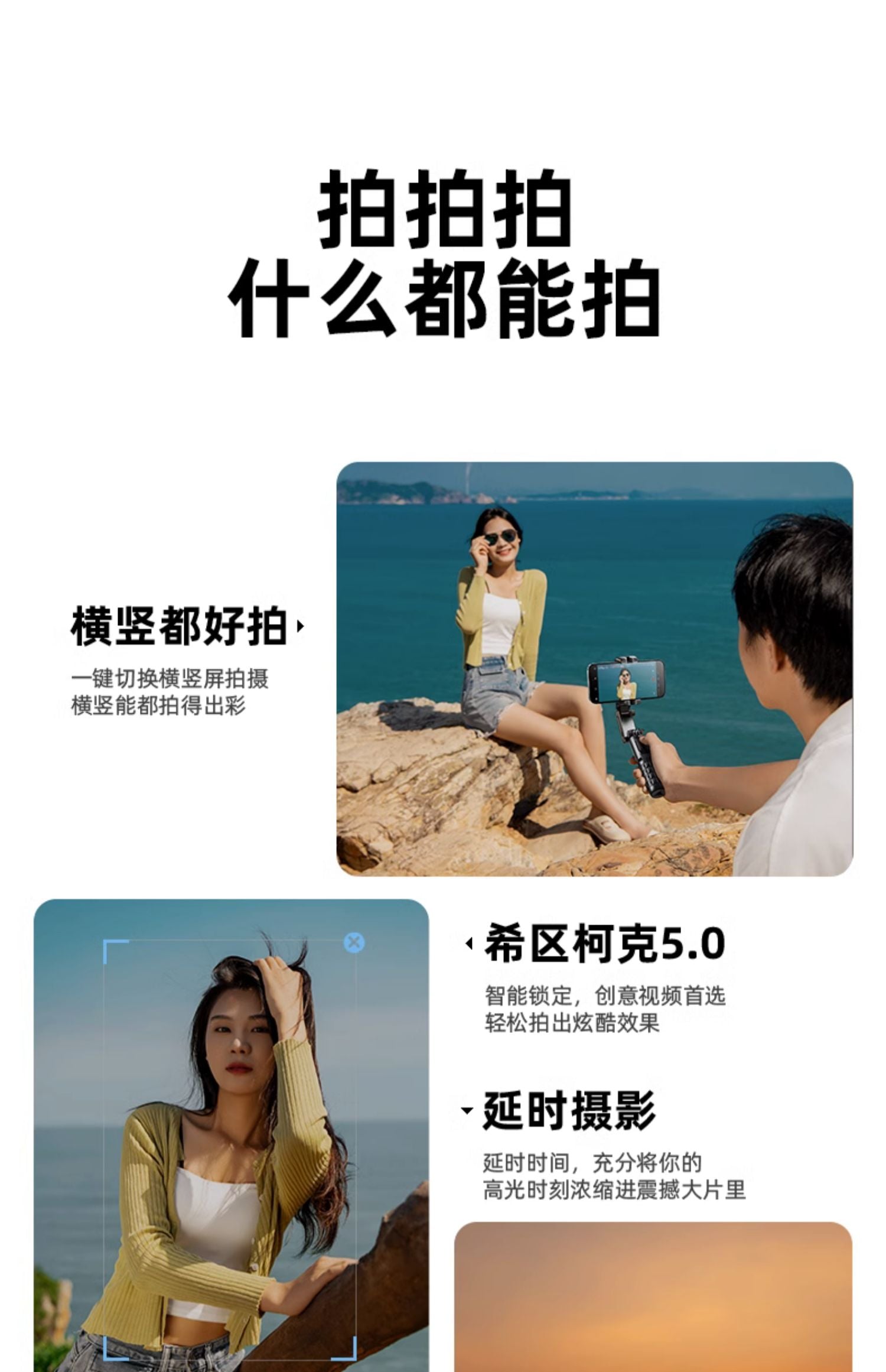
👍Switch between horizontal and vertical shooting modes: Easily switch between horizontal and vertical shooting modes.
👍Jumping Dream Space: Achieve a jumping dream space to expand the shooting perspective.
👍POV Mode: Strongly conveys personal perspective or captures action scenes, creating unique and engaging visual effects while increasing audience participation.
👍Hitchcock Effect: This effect, also known as "zoom shooting," creates a visual effect through different lens focal lengths. The stabilizer can achieve smooth zooming, creating captivating visual changes in the film. For example, zooming out from a distance to capture the subject, then suddenly zooming in to enhance the dramatic effect.
👍Time-lapse Photography: Time-lapse photography is a technique that involves taking a series of photos continuously and then combining them into a video.
👍Clockwise/Counterclockwise Reversal: Instantaneously achieve screen pin rotation, enabling counterclockwise rotation, which can be used to highlight specific actions, enhancing drama and visual appeal.
💕Dedicated App (with remote control):
👍Remote Control: Through the app, you can remotely control the camera, including starting and stopping recording, taking photos, adjusting focal length, etc., suitable for difficult or special shooting situations.
👍Instant Preview: The app typically provides an instant preview feature, allowing you to see the images or videos you are capturing. This enables you to adjust settings to ensure you achieve the desired results.
👍Instant Sharing and Storage: When used with Bluetooth and the app, you can immediately share your photos and videos to social media or cloud storage. This makes sharing and showcasing your work very easy.
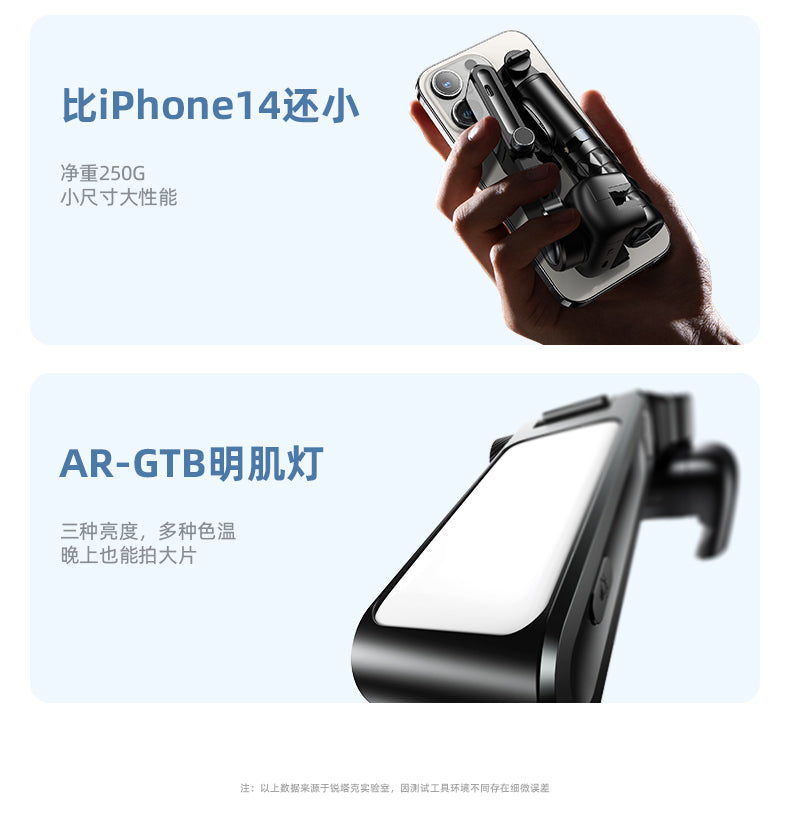
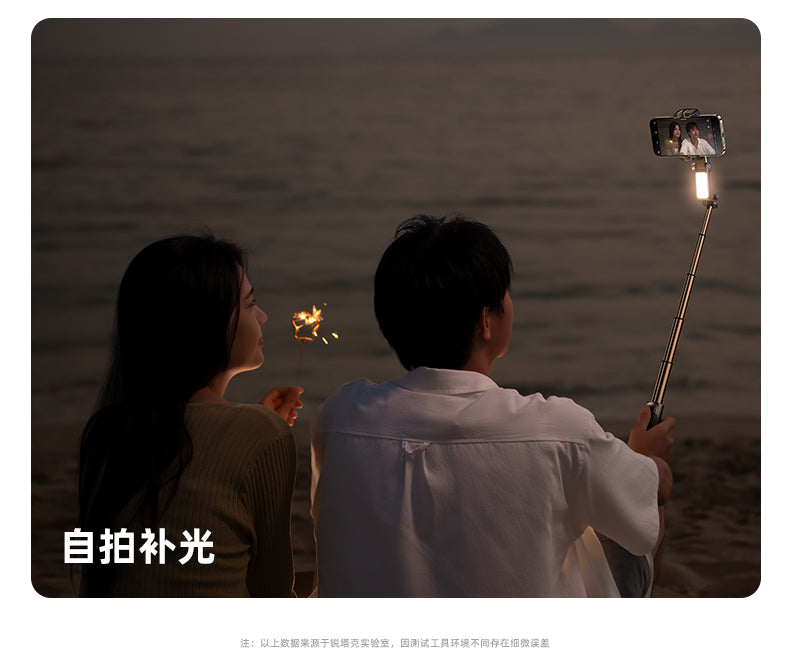
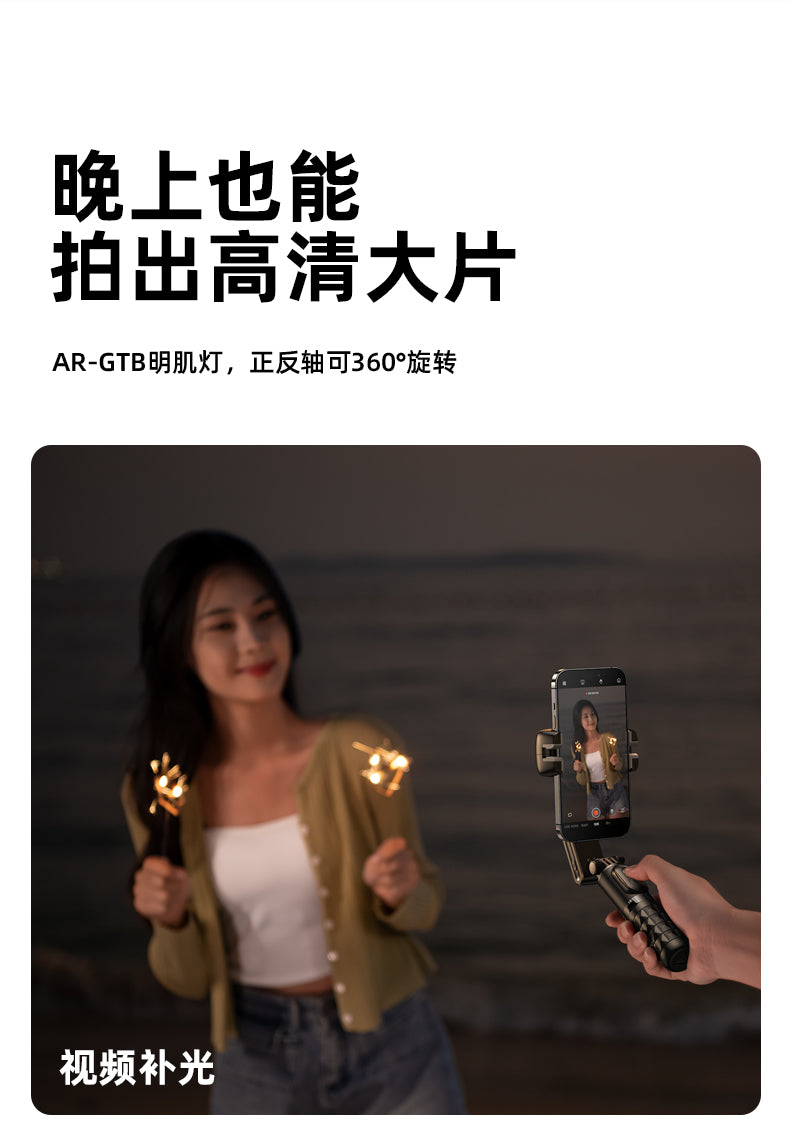
💕Fill Light Multi-purpose: Can be used for fill light shooting, selfie fill light, live streaming fill light
📌Rotating Phone Clamp to achieve front and back light sources
👍Overall Shooting Effect: Such as contour lighting or backlighting effects, increasing the visual appeal of videos and photos.
👍Portrait Photography: Front and back light sources can help soften facial features, making skin appear smoother and reducing the visibility of wrinkles and blemishes.
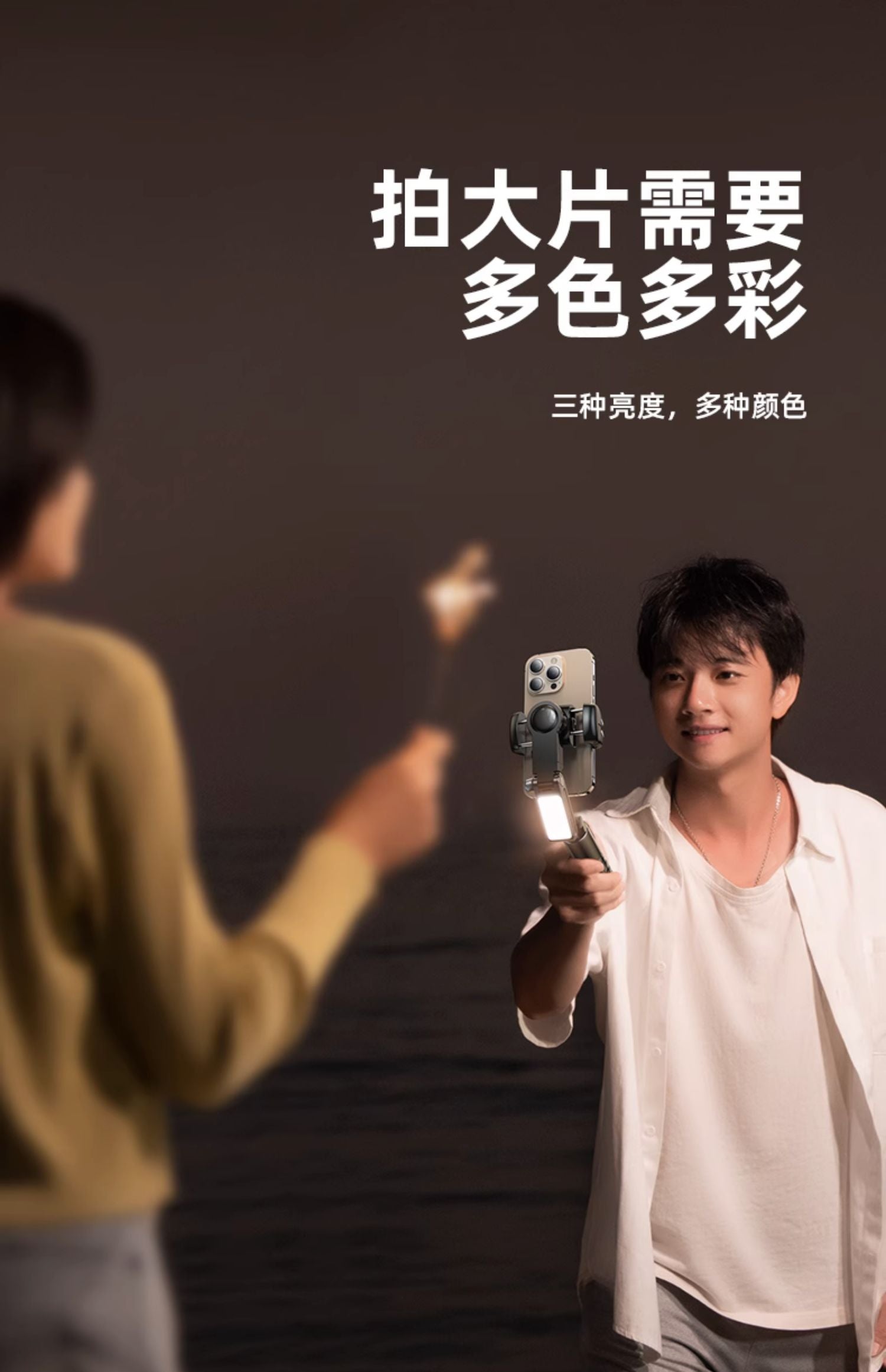
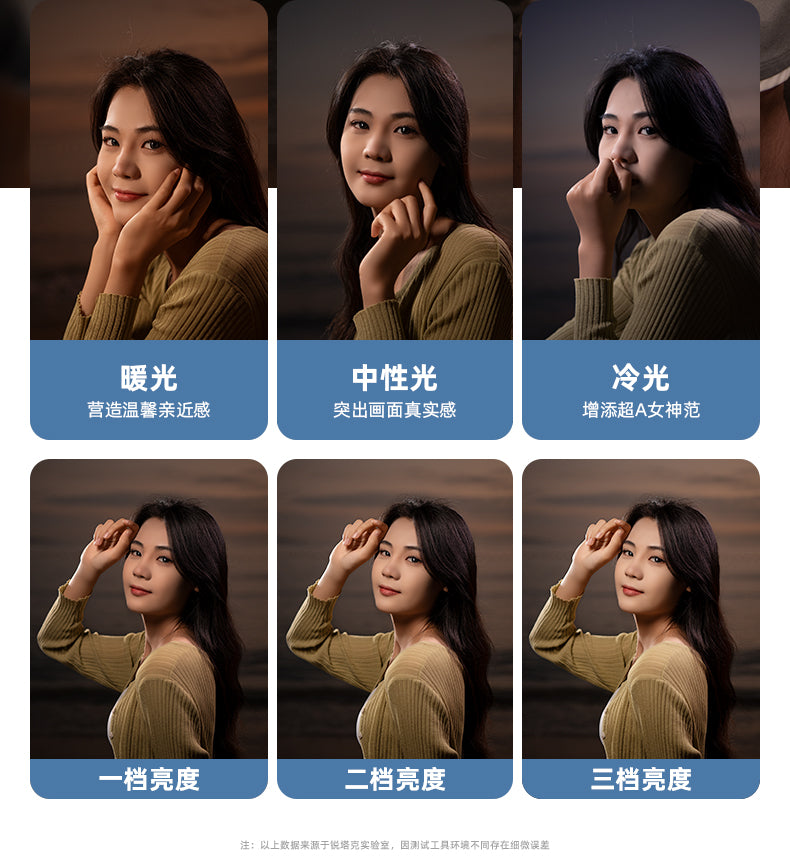
👍3 Colors 9 Levels: Adjustable warm light, cool light, and neutral light, each mode has three levels of intensity adjustment, whether for warm ambient lighting or cool-toned dramatic effects, multiple color temperature options allow you to adapt to different scenes and shooting needs, creating various atmospheres and effects.
📌Strobe Mode:
👍Speed and Frequency Control: Faster flashing can create a surprising atmosphere, while slower flashing can create a dramatic atmosphere.
👍Create Special Effects: Such as simulating lightning, fireworks, or neon light effects to enhance visual appeal.
👍Highlight and Shadow Contrast: The alternating light and dark of the strobe mode can highlight the subject, creating captivating highlight and shadow contrasts, making photos or videos more engaging.
📌Fill Light Operation Instructions:
1. Long press to turn on/off; click to adjust brightness; double click for strobe mode
2. Light Modes: White Light/Warm Light/White + Warm Light x Soft Light/Medium Light/Strong Light
📌Remote Control Operation Instructions:
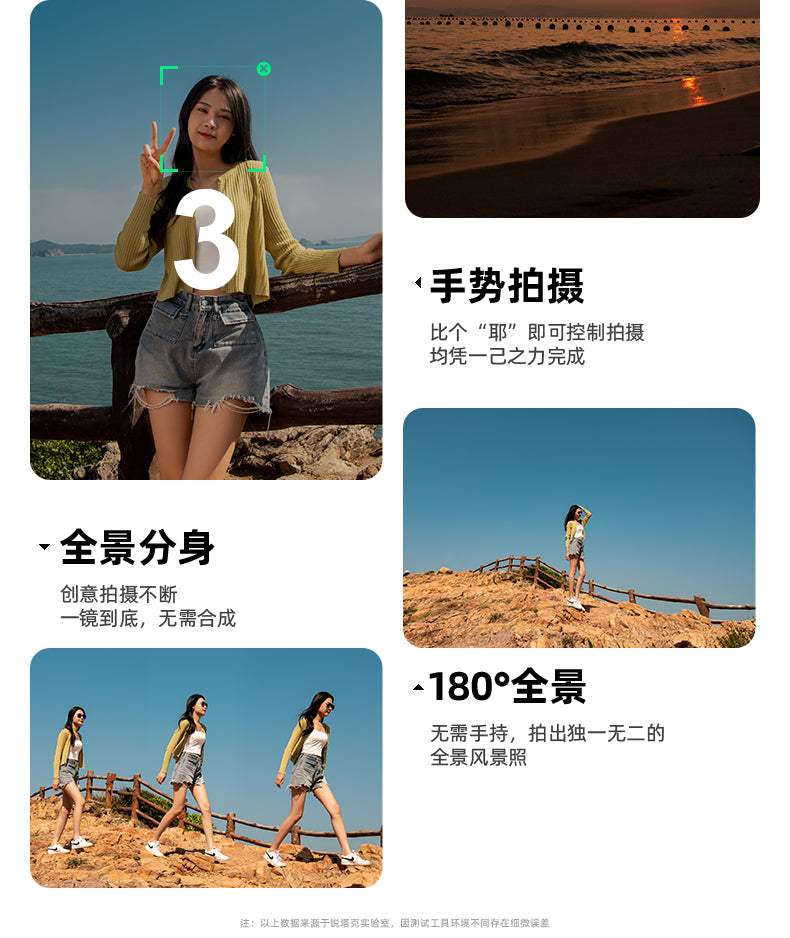
1. Rotation Key: Click - switch between horizontal and vertical shooting; double click - jumping dream space mode; long press - clockwise dream space mode
2. Swirl Key: Click - POV half-follow mode; double click - 260-degree dream space mode; long press - counterclockwise dream space mode
3. Camera Key: Long press - turn on/off; click - take photo or record (start/stop)
📌Desktop Gimbal Operation Instructions:
1. Rotation Key: Click - small left rotation; double click - automatically turn on gimbal face follow; long press - continuous left rotation
2. Swirl Key: Click - small right rotation; double click - cancel face follow; long press - continuous right rotation
3. Camera Key: Long press - turn on/off; click - take photo or record (start/stop)
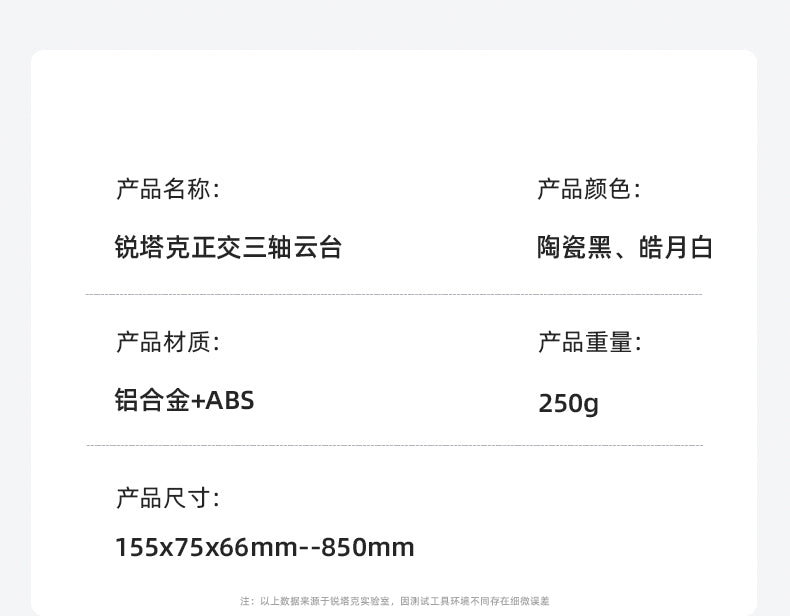
☛Product Specifications
🔰Product Material: ABS + Aluminum Alloy
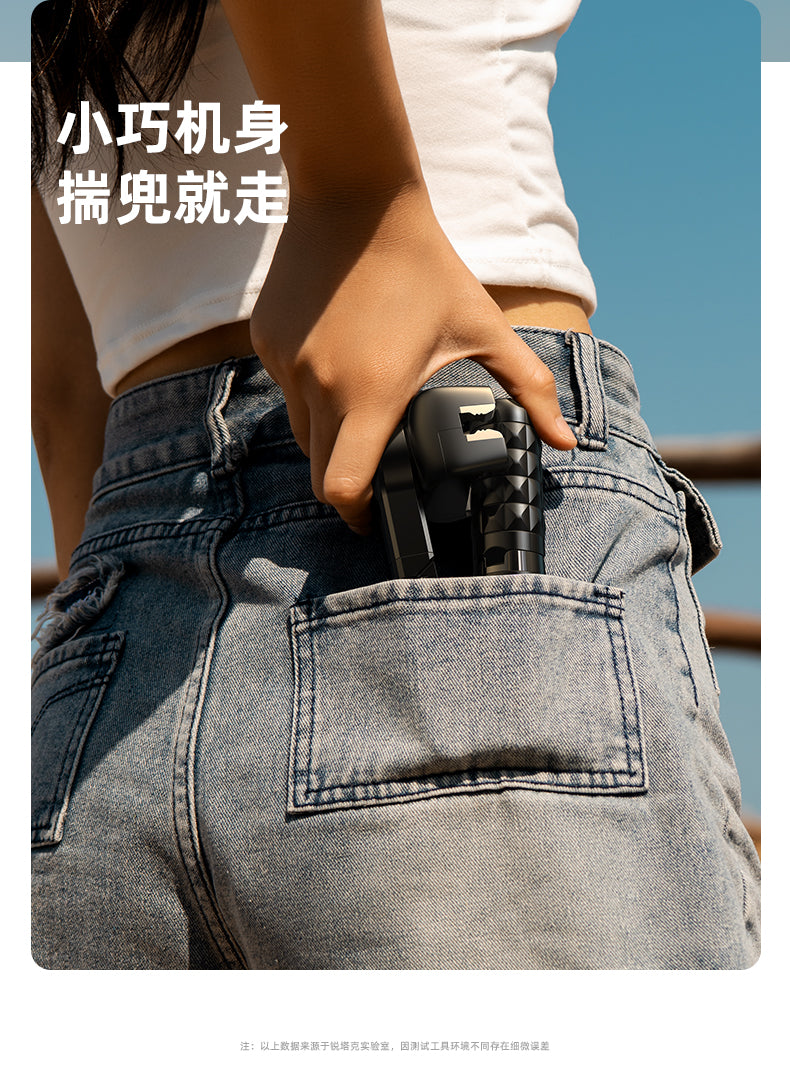
🔰Product Dimensions: 155x75x66 mm
🔰Product Net Weight: 260g
🔰Gimbal Battery Life: 2-3hr
🔰Gimbal Battery: 500mAh
🔰Phone Size: 45-83mm (horizontal), 7-14mm (vertical)
🔰Bluetooth Version: V4.2
🔰System Compatibility: Android 4.4, iOS 5.1
🔰Fill Light Battery: 400mAh
🔰Fill Light Usage Time: 1.5hr
🔰Fill Light Color Temperature: 3000k-6500k
🔰Fill Light Power: 1.2w
Maintenance: One year warranty in Hong Kong

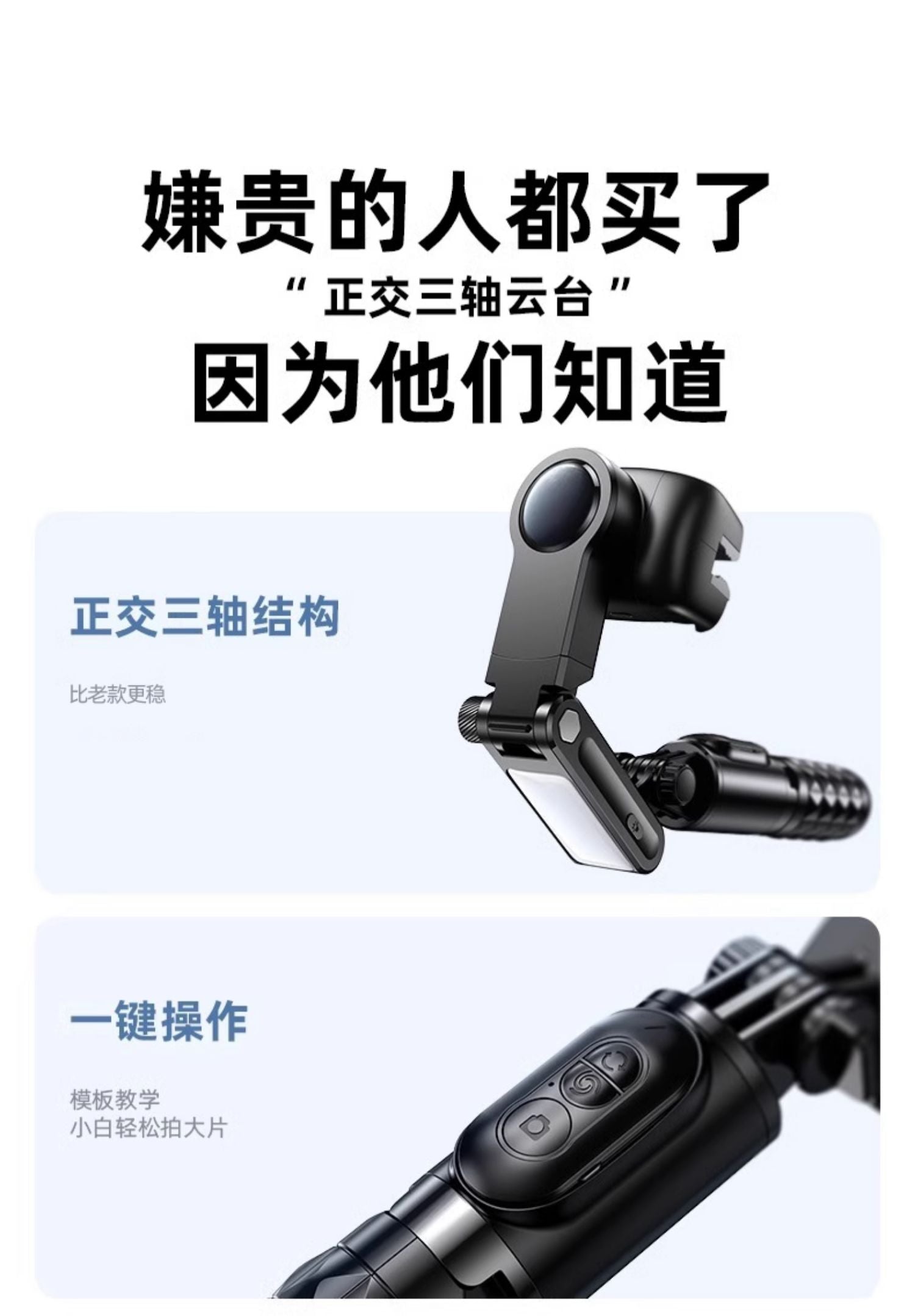
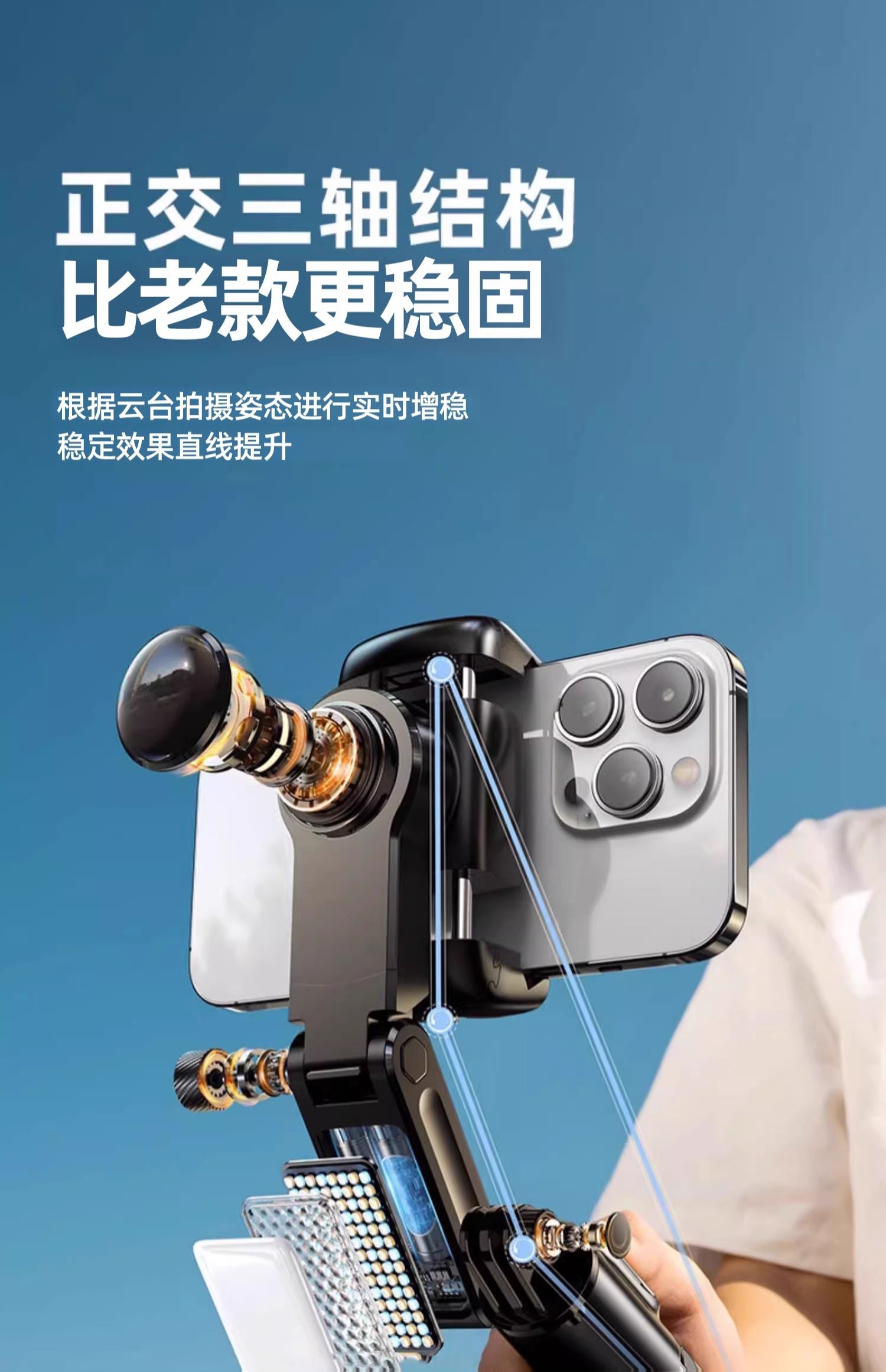

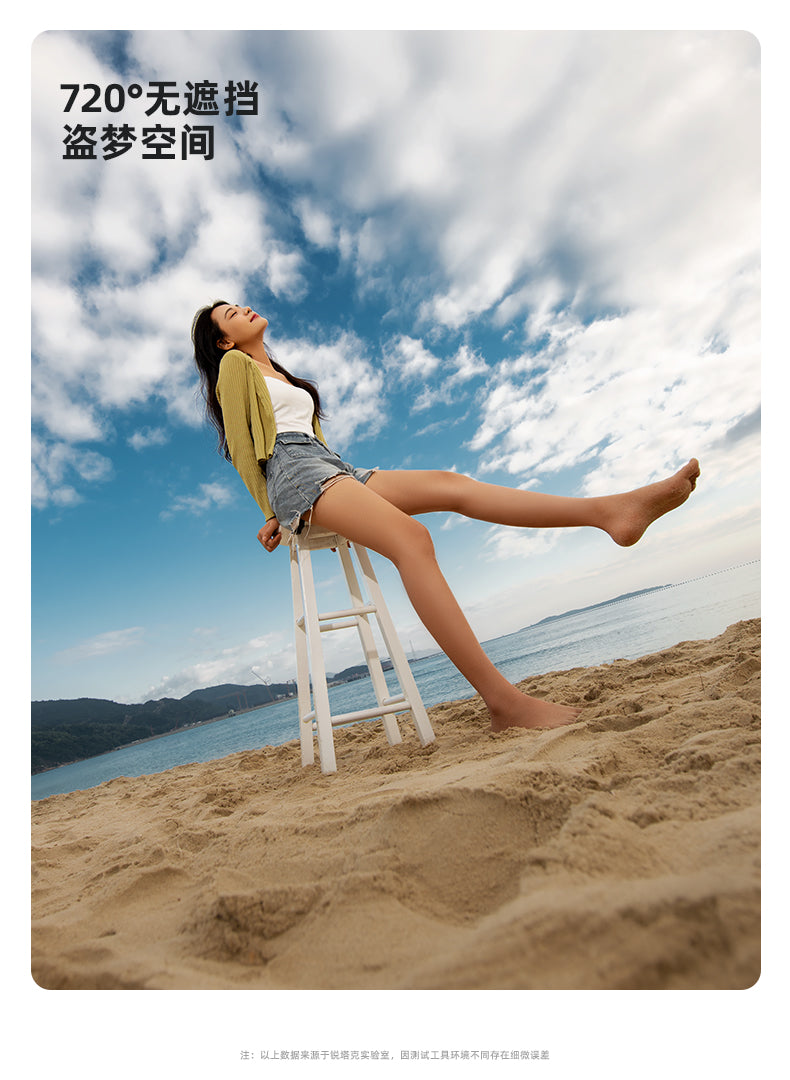
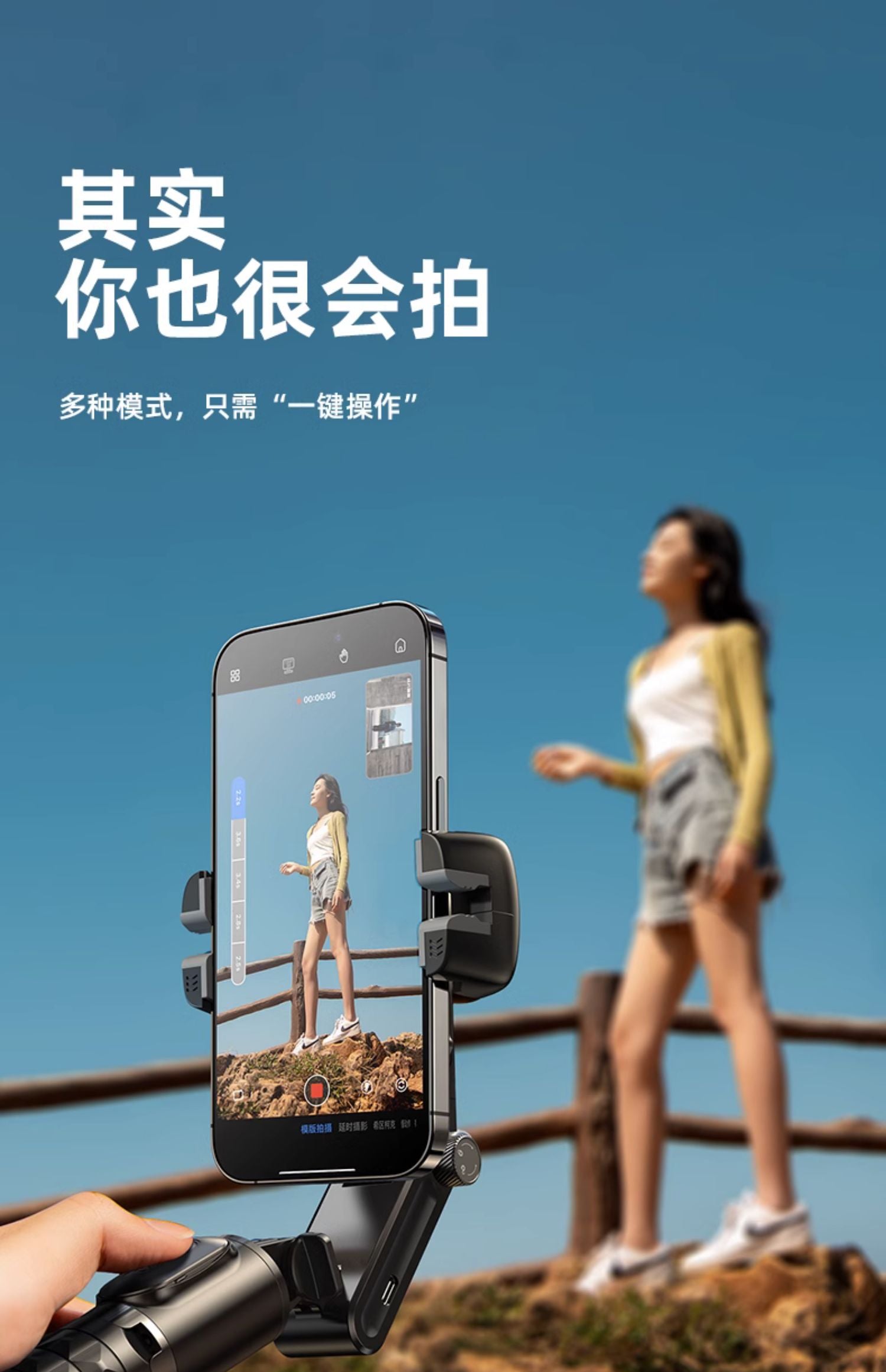
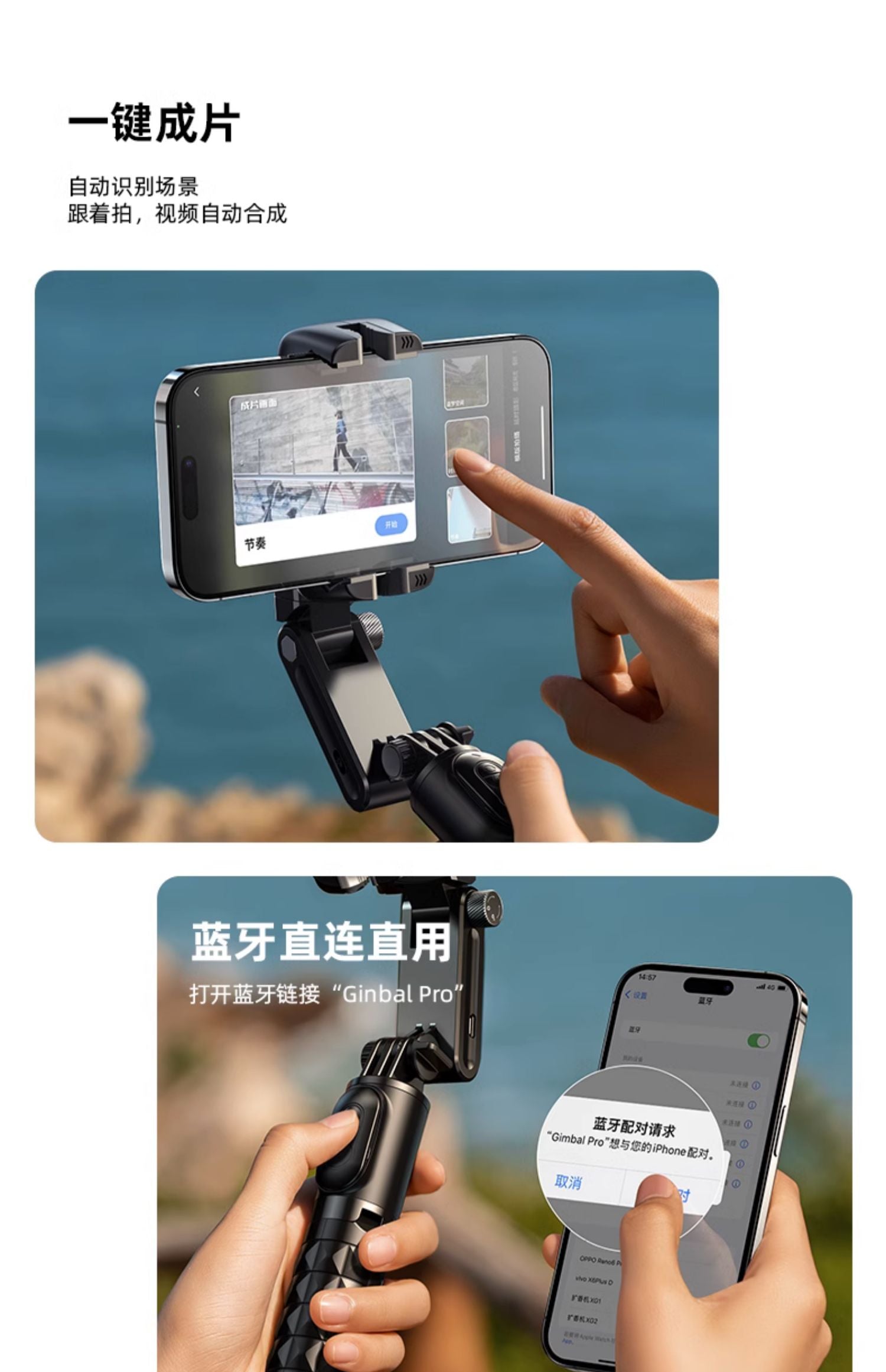


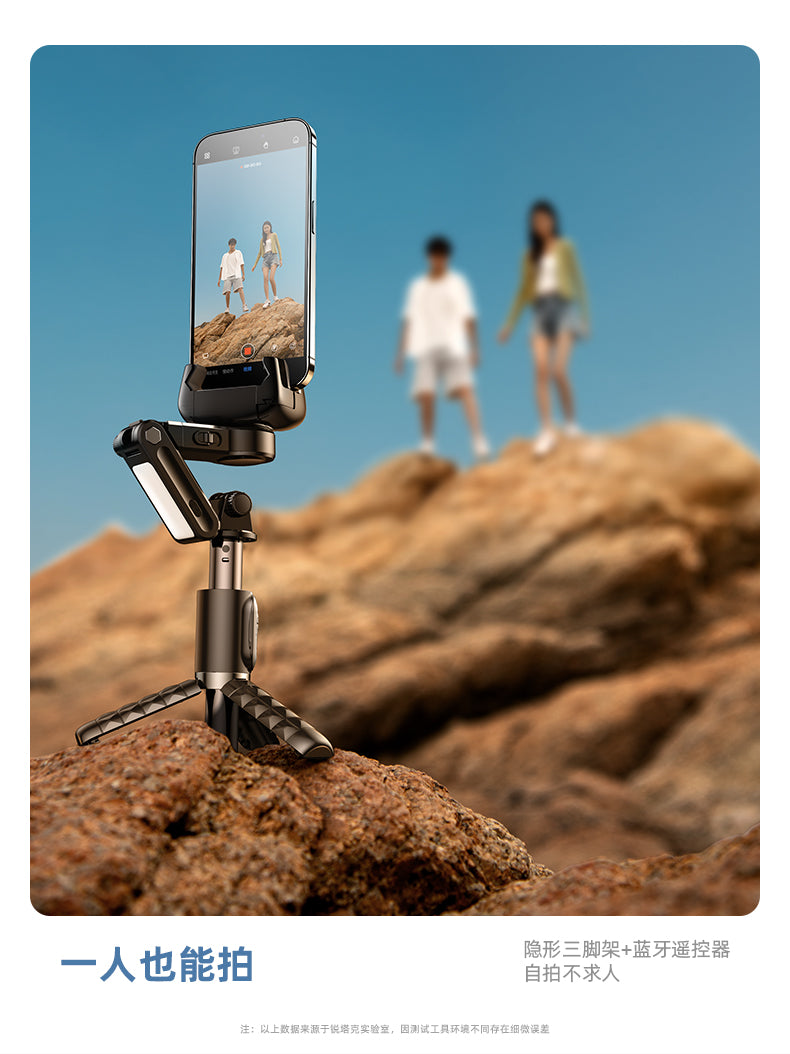
Gimbal Mount Usage Instructions:
1. Clamp the phone to maintain natural balance, long press the gimbal power button for 5 seconds to turn on / long press for 3 seconds to turn off
2. Green light flashes to enter stable shooting mode, shake the handle left and right, the gimbal will always maintain a horizontal direction
3. Pull the locking ring outward, slide up to lock the gimbal, slide down to unlock (the locking ring must be pressed flat to lock)
4. Red light flashing indicates low battery reminder, charging - red light stays on; after fully charged, the red light goes out
Fill Light Usage Instructions:
1. Long press to turn on/off; then click to adjust brightness
2. Light Modes: Click to switch White Light - Soft Light, Medium Light, Strong Light
Warm Light - Soft Light, Medium Light, Strong Light
Mixed Light - Soft Light, Medium Light, Strong Light (anytime long press the switch key will turn off the light and save)
3. Double click the switch to enter strobe mode
Multi-functional Remote Control Usage Instructions:
1. Rotation Key: Click - switch between horizontal and vertical shooting; double click - jumping dream space mode; long press - clockwise dream space mode
2. Swirl Key: Click - POV half-follow mode; double click - 260-degree dream space mode; long press - counterclockwise dream space mode
3. Camera Key: Click - long press for 2 seconds to turn on/off; long press - take photo or record (start/stop)
🎯Notes
1. The Bluetooth remote control is compatible with Android 4.4 and above and iOS 5.1 and above
(If you have changed the system's "volume key function" under the phone camera options, be sure to set it back to default,
or "take photo," to use normally)
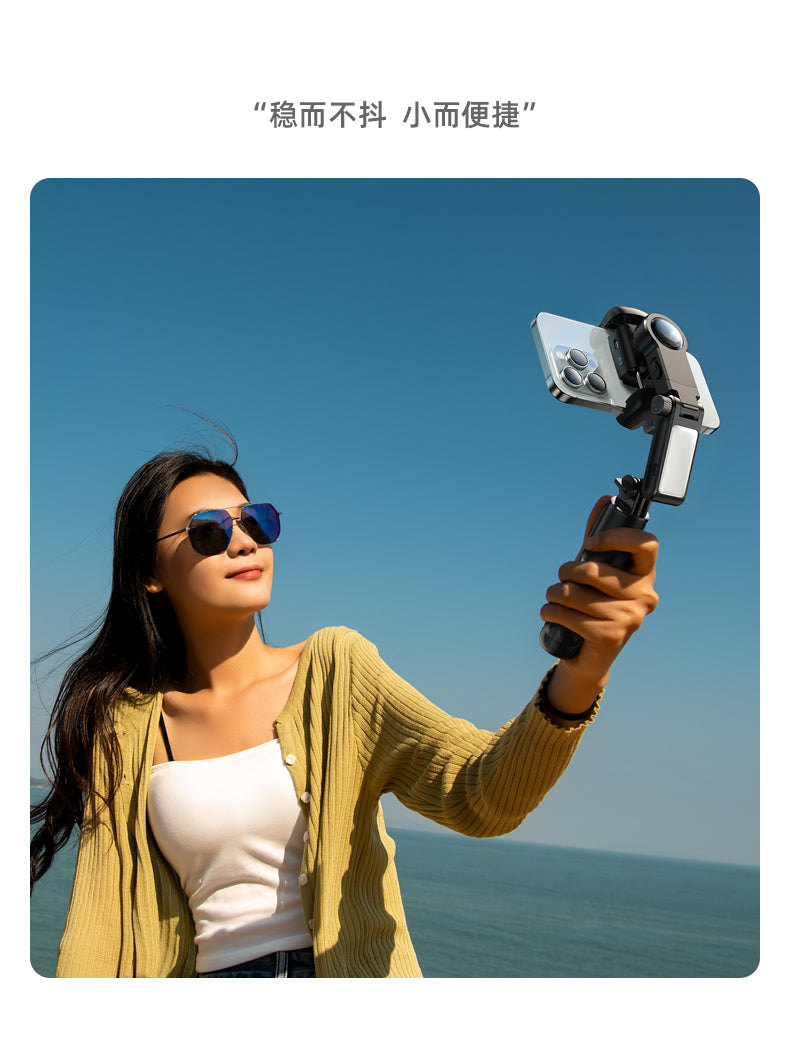
2. Stable shooting mode: Best used within 3 sections of the telescopic rod (about 50 cm)
3. Selfie mode: Recommended to use within 5 sections of the telescopic rod (about 70 cm)
4. Batteries should not be exposed to sunlight, fire, or overheated environments
5. When the phone is clamped, it must be tightly secured to the clamp~
![RTAKO Q18 二代專業防震人臉追蹤折疊三軸雲台 [香港行貨]-DIGIBAL ONLINE](https://img.myshopline.com/image/store/1759472791688/WhatsApp-2024-09-2415-41-08-213d1a19_1445x.jpg?w=1128&h=1600&q=100)
![RTAKO Q18 二代專業防震人臉追蹤折疊三軸雲台 [香港行貨]-DIGIBAL ONLINE](https://img.myshopline.com/image/store/1759472791688/790-1-10-46d2e9ef-8a6b-4cfc-8441-53423822570e_1445x.jpg?w=790&h=929&q=100)
![RTAKO Q18 二代專業防震人臉追蹤折疊三軸雲台 [香港行貨]-DIGIBAL ONLINE](https://img.myshopline.com/image/store/1759472791688/790-1-11_1445x.jpg?w=790&h=706&q=100)
![RTAKO Q18 二代專業防震人臉追蹤折疊三軸雲台 [香港行貨]-DIGIBAL ONLINE](https://img.myshopline.com/image/store/1759472791688/1-76df9c07-8e2a-48a0-be73-56439b8682df_1445x.jpg?w=800&h=800&q=100)
![RTAKO Q18 二代專業防震人臉追蹤折疊三軸雲台 [香港行貨]-DIGIBAL ONLINE](https://img.myshopline.com/image/store/1759472791688/790-1-20-5dd143b5-a673-4102-af33-7613f8c12d29_1445x.jpg?w=790&h=868&q=100)
![RTAKO Q18 二代專業防震人臉追蹤折疊三軸雲台 [香港行貨]-DIGIBAL ONLINE](https://img.myshopline.com/image/store/1759472791688/790-1-33-4f92956a-4529-4a69-bde6-104c3ebe1560_1445x.jpg?w=790&h=882&q=100)
![RTAKO Q18 二代專業防震人臉追蹤折疊三軸雲台 [香港行貨]-DIGIBAL ONLINE](https://img.myshopline.com/image/store/1759472791688/790-1-22-7c4de866-a2ba-4a79-93f1-0f40153f9dc3_1445x.jpg?w=790&h=753&q=100)
![RTAKO Q18 二代專業防震人臉追蹤折疊三軸雲台 [香港行貨]-DIGIBAL ONLINE](https://img.myshopline.com/image/store/1759472791688/WhatsApp-2024-09-2415-41-08-213d1a19_1800x.jpg?w=1128&h=1600&q=100)
![RTAKO Q18 二代專業防震人臉追蹤折疊三軸雲台 [香港行貨]-DIGIBAL ONLINE](https://img.myshopline.com/image/store/1759472791688/790-1-10-46d2e9ef-8a6b-4cfc-8441-53423822570e_1800x.jpg?w=790&h=929&q=100)
![RTAKO Q18 二代專業防震人臉追蹤折疊三軸雲台 [香港行貨]-DIGIBAL ONLINE](https://img.myshopline.com/image/store/1759472791688/790-1-11_1800x.jpg?w=790&h=706&q=100)
![RTAKO Q18 二代專業防震人臉追蹤折疊三軸雲台 [香港行貨]-DIGIBAL ONLINE](https://img.myshopline.com/image/store/1759472791688/1-76df9c07-8e2a-48a0-be73-56439b8682df_1800x.jpg?w=800&h=800&q=100)
![RTAKO Q18 二代專業防震人臉追蹤折疊三軸雲台 [香港行貨]-DIGIBAL ONLINE](https://img.myshopline.com/image/store/1759472791688/790-1-20-5dd143b5-a673-4102-af33-7613f8c12d29_1800x.jpg?w=790&h=868&q=100)
![RTAKO Q18 二代專業防震人臉追蹤折疊三軸雲台 [香港行貨]-DIGIBAL ONLINE](https://img.myshopline.com/image/store/1759472791688/790-1-33-4f92956a-4529-4a69-bde6-104c3ebe1560_1800x.jpg?w=790&h=882&q=100)
![RTAKO Q18 二代專業防震人臉追蹤折疊三軸雲台 [香港行貨]-DIGIBAL ONLINE](https://img.myshopline.com/image/store/1759472791688/790-1-22-7c4de866-a2ba-4a79-93f1-0f40153f9dc3_1800x.jpg?w=790&h=753&q=100)