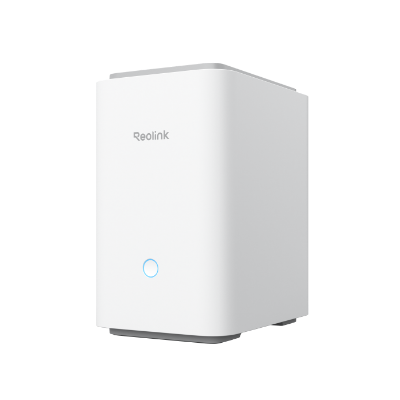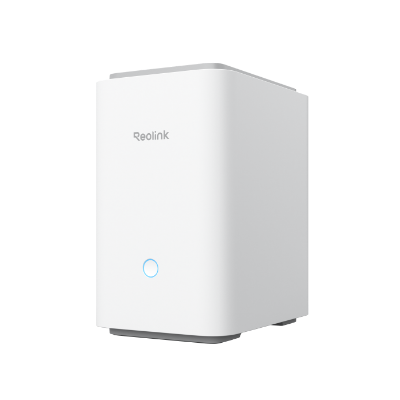


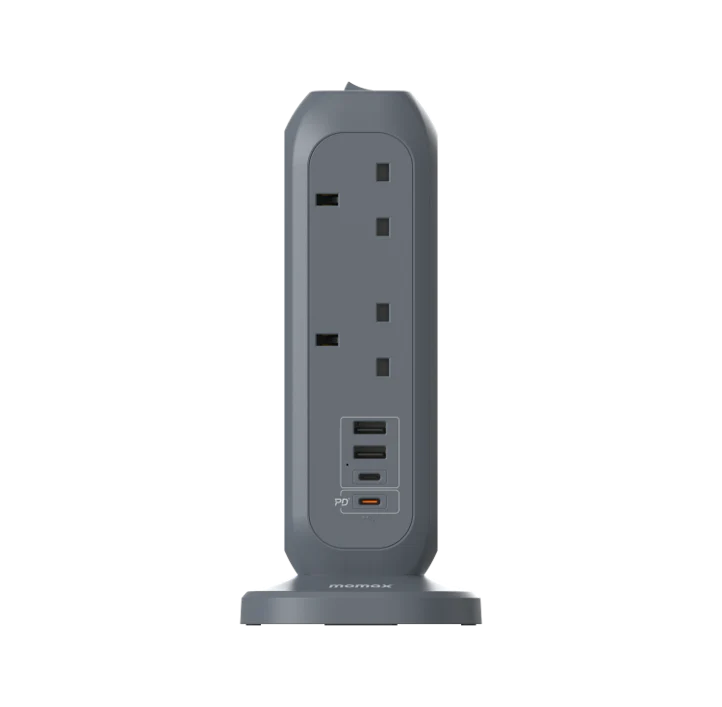
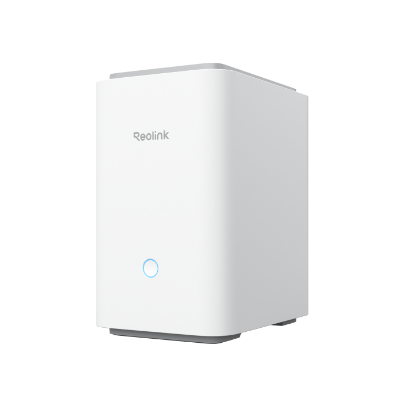
Reolink Home Hub Pro 2TBHDD Hub [Hong Kong Official Product]
Inventory: In stock (estimated to ship within one business day)
Delivery and shipping fees (Free shipping on orders over HK$500)
International Shipping
Free-shipping thresholds · Power Bank surcharge
Hong KongFREE
SF Locker: Free for all orders · Door-to-door: Free over HK$500
Macau
Free shipping on orders HK$800+ (2-3 business days)
Australia (6-12 business days depending on area or zone)
Free over AU$100 · Flat AU$9.99 below
United Kingdom 0-3kg (3 - 5 business days); 3kg+ (5 - 8 business days)
Free over £40 · Flat £6.99 below
Singapore (5 - 8 business days)
Free over S$40 · Flat S$9.99 below
European Union (6 - 10 business days)
Free over €49 · Flat €9.99 below
Malaysia (6 - 10 business days)
Free over RM40 · Flat RM9.99 below
🇦🇺Australia — Power Bank
| Weight | Fee |
|---|---|
| 0 – 0.51 kg | AU$ 24.39 |
| 0.51 – 1.01 kg | AU$ 36.99 |
| 1.01 – 1.51 kg | AU$ 55.99 |
🇬🇧United Kingdom — Power Bank
| Weight | Fee |
|---|---|
| 0 – 0.51 kg | £ 9.99 |
| 0.51 – 1.1 kg | £ 15.99 |
| 1.1 – 1.51 kg | £ 22.99 |
🇸🇬🇲🇾SG / Malaysia — Power Bank
| Weight | Fee |
|---|---|
| 0 – 0.51 kg | SGD 18.99 |
| 0.51 – 1.01 kg | SGD 23.99 |
| 1.01 – 1.51 kg | SGD 27.99 |
🇮🇪Ireland — Power Bank
| Weight | Fee |
|---|---|
| 0 – 0.51 kg | € 26 |
| 0.51 – 1 kg | € 39 |
| 1 – 1.51 kg | € 51.99 |
🇨🇦Canada — Power Bank
| Weight | Fee |
|---|---|
| 0 – 0.51 kg | CA$ 37.05 |
| 0.51 – 1.01 kg | CA$ 58.33 |
| 1.01 – 1.51 kg | CA$ 82.41 |
⚡ Express Shipping — free option available, refer to checkout.
📦 Heavy / Oversized items (e.g. water dispenser) — contact customer service for a custom freight quote.
Warranty
Maintenance Terms and Conditions / Warranty Information
DIGIBAL Official Warranty Coverage
This product is Authentic Hong Kong goods, enjoy Original factory one-year warranty (Unless otherwise specified on the product page). Customers must keep this information safe. Purchase receipts and products Hong Kong distributor of skin care stickers (It is recommended to take photos for record-keeping). If the product malfunctions during the warranty period, the customer must...Contact the Hong Kong general agent directly. Arrange for testing and repair.
🌏 Overseas (US / CA / UK / SG / AU)
All products are Hong Kong official versions supplied with a UK-style 3-pin plug. Travel adapters are not included. Warranty coverage ranges from 1 to 2 years, with all servicing performed in Hong Kong. Local return warehouses available in Australia, UK and USA.
Contact CSProvide photos/videos
Submit photos/videos
Local ReturnShipping costs are paid by the customer first.
Customer pays upfront
Ship to HK Maintenance arranged by the company
Warranty processed
Reimbursement Full refund upon presentation of receipt
Full refund of postage
Overseas customers may choose between the following two options:
For other countries, please contact customer service for a return address.
Reolink Home Hub Pro 2TB Smart Home Hub|Built-in Hard Drive, HDMI Output, Wi-Fi 6
Supports up to 12 cameras|Built-in 2TB HDD|HDMI+USB|microSD up to 512GB|120dB speaker
Product Overview
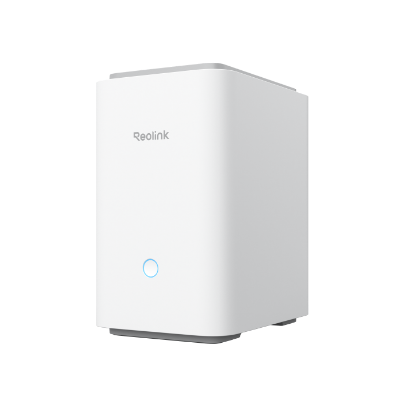
The Reolink Home Hub Pro is an upgraded version of the Home Hub. It replaces microSD storage with a built-in hard drive (the version sold in our store comes with 2TB), adds HDMI and USB ports, increases the camera limit, and supports wired IP camera connections. It solves the Home Hub’s two biggest limitations — no TV connection and limited storage capacity.
Official specifications: supports up to 12 cameras; built-in SATA hard drive (the version sold in our store comes with 2TB), plus support for one microSD card up to 512GB; includes HDMI and USB ports; 1 RJ45 WAN port+1 RJ45 port for connecting IP cameras; dual-band Wi-Fi 6 with WPA3; AES-128 encryption; speaker volume up to 120dB.
The unit measures 185×133×222mm and weighs 1096g, with a DC 12V/2A power supply. The official documentation specifically notes that when a hard drive and microSD card are inserted at the same time, the microSD card cannot be used to store video — an important detail that is easy to overlook in actual use.
Six Key Highlights
Built-in hard drive: solves the lifespan issues of microSD cards
The Home Hub uses microSD storage, while the Home Hub Pro uses a SATA hard drive (the version sold in our store comes with 2TB). Hard drives have a much longer write lifespan than memory cards, making a fundamental difference for 24/7 continuous recording — this is also the key upgrade that makes the Pro version worth the extra cost.
The official documentation notes one detail: when a hard drive and microSD card are inserted at the same time, the microSD card cannot be used to store video. Therefore, the actual purpose of the microSD slot is for backup or exporting files, not for expanding storage capacity.
- Built-in 2TB HDD (SATA)
- When a hard drive and microSD card are inserted at the same time, the microSD card cannot store video
- AES-128 encryption
HDMI output: connect directly to a TV
The Home Hub does not have HDMI and can only be viewed on a phone. The Pro has HDMI, allowing it to connect directly to a TV or monitor. For families and shops that want to view the entrance on a large screen, this makes a real difference.
It also has a USB port for connecting an external storage device for backups — something the microSD version cannot do.
- HDMI output, connects to a TV
- USB supports external backup storage devices
- No phone or computer required
12 cameras and wired connections
The official specifications state that it supports up to 12 cameras, and it has 1 additional RJ45 port for connecting IP cameras (in addition to the WAN port). This means it can manage not only wireless cameras, but also a limited number of PoE/wired cameras, offering greater flexibility than the Home Hub.
Compatible with all Reolink battery-powered Wi-Fi, plugged-in Wi-Fi, and PoE cameras (battery-powered cameras must have their firmware upgraded first). If you plan to combine battery-powered and wired cameras, this is the more suitable hub.
- Supports up to 12 cameras
- 1 additional RJ45 port for connecting IP cameras
- Compatible with battery-powered/plugged-in/PoE cameras
120dB speaker and permission management
The built-in speaker reaches up to 120dB, louder than the Home Hub’s 115dB. It serves the same purpose for alarms and notification sounds, but the difference in volume is meaningful in larger spaces and shop environments.
Supports up to 11 users (1 administrator+10 shared users). Access and sharing permissions can be set for individual devices. According to the official documentation, this level of control is “only available through the Home Hub Pro.”
- Speaker volume up to 120dB
- 11 user accounts
- Set permissions for individual devices
Size, Cooling, and Real-World Deployment
185×133×222mm, 1096g, much larger than the Home Hub (95×95×161.8mm, 441g) because it contains a 3.5-inch hard drive. Allow space for ventilation when positioning it, and do not place it inside an enclosed TV cabinet.
Power: DC 12V/2A. The hard drive generates heat when running 24 hours a day. It is recommended to place it in a well-ventilated area and check the hard drive health in the App every six months.
- 185×133×222mm/1096g
- Allow space for ventilation
- Check the hard drive every six months
Who Is It For
Suitable for: Families and small businesses that need to watch on a large TV screen, store footage on an internal hard drive, and manage multiple cameras; systems combining battery-powered and wired cameras.
Not suitable for: Those who only need 4-8 wireless cameras and do not connect to a TV (the Home Hub is sufficient), or those who need continuous 24/7 recording from more than 16 cameras (an NVR is required).
- Suitable for families and small businesses
- Choose this if you want to connect to a TV
- Use an NVR for more than 16 cameras
In the Box
The following is the packaging content for Hong Kong official stock. Actual accessories may vary by delivery batch; please contact us for confirmation before placing an order if you have any questions.
- Our version is the Home Hub Pro 2TB, with a built-in 2TB hard drive. The official information states that when a hard drive and microSD are inserted at the same time, the microSD cannot be used to store videos.
- The packaging contents are subject to Reolink's official shipping configuration. The official product page does not publish a detailed item-by-item packing list, so our store does not speculate about the quantity of accessories. If you need to confirm a specific accessory before placing an order (mount, screw kit, or whether a power supply is included), please contact us first.
- Hong Kong official stock, 2-year manufacturer's warranty, and local support.
Suitable Scenarios
Suitable for families and small businesses that need to watch on a large TV screen, store footage on an internal hard drive, and manage multiple cameras.
- Detached houses and multi-storey village houses
- Small shops and restaurants
- Offices and studios
- Systems combining battery-powered and wired cameras
- Families who want to watch live footage on a TV
Why Choose This Model
- Built-in 2TB hard drive with a much longer lifespan than memory cards
- Connect to a TV via HDMI for direct viewing
- Supports up to 12 cameras and can connect to wired cameras
- USB supports external backup
- No monthly fee, AES-128 encryption
Full Specifications
Same-Series Comparison
The differences between Home Hub Pro and Home Hub lie in storage, outputs, and camera limits; the table below shows the official figures, with the Pro model you are viewing highlighted.
| Item | Home Hub 64GB | Home Hub Pro 2TB |
| Camera Limit | 8 cameras | 12 cameras (as stated on the official Pro page) |
| Storage | microSD up to 1TB×2 (64GB included) | Built-in 2TB HDD+microSD 512GB×1 |
| HDMI Output | No | Yes |
| USB | No | Yes |
| Network | 1× RJ45 (WAN) | 2× RJ45 (WAN+IP cameras) |
| Wi-Fi | Wi-Fi 6 dual-band | Wi-Fi 6 dual-band |
| Speaker | Up to 115dB | Up to 120dB |
| Encryption | AES-128 | AES-128 |
| Weight | 441g | 1096g |
Frequently Asked Questions
Want to know whether the Pro version is worth the extra cost?
Tell us how many cameras you have and whether you want to view the footage on a TV. We’ll compare the three-year total cost of the Home Hub and Pro, and confirm whether the hard drive capacity is sufficient.
Hong Kong Official Product|2-Year Manufacturer’s Warranty|Local Support