


EZVIZ · DIGIBAL ONLINE
EZVIZ CloudPlay
7-Day Rolling Recording Plan (12 Months)
Annual cloud backup plan for recordings: review footage from the past 7 days, valid for 12 months, activated with a single digital key.
Product Overview
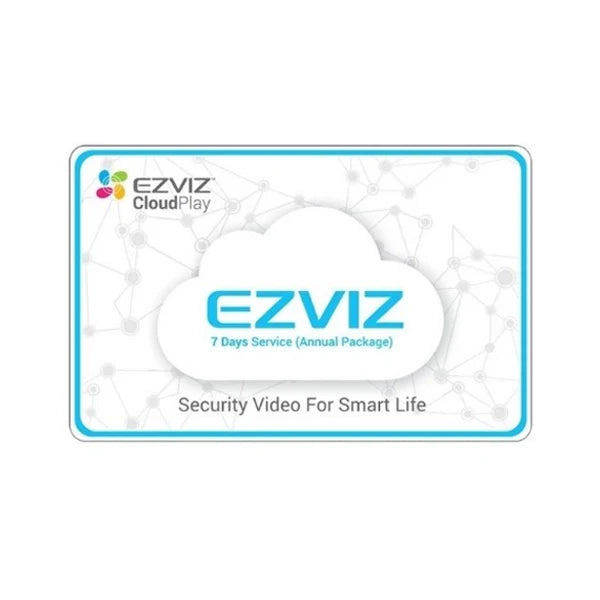
CloudPlay is EZVIZ's cloud recording service. This plan provides 12 months of service with 7-day rolling storage: recorded clips are uploaded to the cloud and can be reviewed at any time within 7 days, while footage older than 7 days is automatically overwritten.
It solves the biggest weakness of local storage — if the memory card or recorder is taken or damaged, the recordings disappear with it. Cloud-backed-up clips are stored off-site, so they can still be accessed even if the device is removed.
Activation is done with a digital key, so no physical card is required. After purchase, follow the steps provided by customer service to redeem it in the EZVIZ App and bind it to your account and device.
Three things to clarify:
- This is a service, not hardware: you will not receive a memory card or device after purchase, only an activation code.
- A compatible EZVIZ camera is required: not all older models support CloudPlay. Please tell us your model before placing an order.
- 7 days is the rolling storage limit: footage older than 7 days will be overwritten. For long-term storage, please download it yourself or use a local microSD card.
Six Key Highlights
12-Month Validity
One purchase, valid for one year.
7-Day Rolling Playback
Review footage from the past 7 days at any time.
Off-Site Backup
Your cloud footage remains available even if the device is taken.
Digital Key Activation
No card delivery required; redeem it in the App.
Singapore Cloud
Hong Kong and Macau official stock uses Singapore servers.
No Additional Hardware Required
Works with your existing EZVIZ camera.
7-Day Rolling Storage: Automatic Cloud Upload and Overwriting
When the camera detects an event, the footage is automatically uploaded to the cloud. The cloud retains the most recent 7 days, and on the eighth day, the oldest footage is automatically overwritten — no manual cleanup is required.
Key Points
- Retains the most recent 7 days of footage
- Automatic uploading with no manual operation required
- Footage older than 7 days is automatically overwritten
- Search by date and event
Off-Site Backup: Footage Remains Accessible Even If the Device Is Taken
This is the most practical value of a cloud plan. If the local memory card is taken along with the camera, the recordings are gone; cloud footage is stored on off-site servers and remains accessible even if the device is damaged.
Key Points
- Footage is stored in the cloud, not on-site
- Footage remains accessible if the device is lost or damaged
- Can be used alongside a local microSD card
- Suitable for high-risk scenarios such as shops and detached houses
12-Month Validity and Digital Key
One purchase corresponds to a 12-month service period. During activation, redeem the digital key in the App and bind it to your account and device; there is no need to wait for a physical card to be delivered.
Key Points
- 12-month service period
- Activation with a digital key
- No physical card shipment required
- Bind to account and device
Singapore cloud servers
Authorized products in Hong Kong and Macau use Singapore cloud servers. The EZVIZ App is directly compatible in Hong Kong, Macau, Singapore, and Australia, with no additional VPN or region-switching settings required.
Key points
- Singapore cloud servers
- EZVIZ App compatible in Hong Kong, Macau, Singapore, and Australia
- No VPN or region switching required
- Reasonable latency for users in Hong Kong and Macau
Works with existing cameras; no additional hardware required
CloudPlay is a service added to your existing devices. Your existing EZVIZ camera (supported CloudPlay models) can be activated directly within the same App, so there is no need to buy a new device.
Key points
- No additional hardware required
- Integrated with the existing EZVIZ App
- Can run alongside local microSD storage
- Activate individually per device
How it works with local storage
In practice, both can be used together: microSD handles long-term storage and everyday playback, while CloudPlay provides off-site backup of the most recent 7 days. This saves costs while addressing the critical weakness of the camera being taken away.
Key points
- microSD: Long-term storage with no monthly fee
- CloudPlay: Off-site backup of the most recent 7 days
- Both can be viewed in the same App
- Decide whether to buy based on your risk level
Two easily misunderstood details
1. Difference between the 7-day and 30-day plans
Both are valid for 12 months; the only difference is the number of days retained in the cloud. The 7-day plan overwrites footage sooner and costs less, while the 30-day plan retains footage longer and is suitable for situations requiring a longer look-back period (such as month-end reconciliation for a shop). When choosing, ask yourself: “How long does it usually take before I review the footage?”
2. This is a subscription service, not hardware
You will not receive a memory card or device after placing your order. Customer service will provide the activation steps, and you can redeem the code in the EZVIZ App. If your camera model does not support CloudPlay, the code cannot be used, so please confirm the model before placing your order.
Three practical use scenarios
Shop checkout counter
The local microSD records one month of footage, while CloudPlay retains the most recent 7 days as an off-site backup. In the event of a dispute, you can access the footage immediately without worrying about the main unit being taken away.
Detached house or village house
Outdoor cameras can easily become targets. Cloud backup ensures that footage remains available even after the device is damaged.
While traveling abroad
If you are away from Hong Kong for two weeks, retaining the most recent 7 days in the cloud is sufficient to cover the period before your return, allowing you to check the footage as soon as you get back.
Packaging list
- EZVIZ CloudPlay 7-day plan (12 months) ×1
- Digital activation code ×1
- Activation instructions (provided by customer service)
The above reflects the officially stated package contents; the actual package contents shall prevail.
Why choose EZVIZ CloudPlay 7-day
Compared with local microSD storage: addresses the weakness of the device being taken away
Memory cards are inexpensive and offer ample capacity, but if the camera is removed along with the card, the footage is gone. The value of CloudPlay lies solely in being off-site.
Compared with the 30-day plan: choose based on your actual review habits
If you usually review footage within a few days, the 7-day plan is sufficient and costs less; choose the 30-day plan only if you need to review footage at the end of the month.
Compared with third-party cloud services: native integration with no additional setup
CloudPlay is directly integrated into the EZVIZ App, so you do not need to set up a NAS or create a third-party cloud account.
Complete specifications and comparison with the same series
The plan details below are based on the EZVIZ Hong Kong and Macau Dealer Price List (EZVIZ-DealerPrice-2OCT2026).
| Product type | Cloud recording service (subscription), not hardware |
| Plan Code | CLOUD7X12M |
| Retention Period | 7-day rolling retention |
| Service Period | 12 months |
| Activation Method | Digital code (digital key) |
| Cloud Server Location | Singapore server |
| Compatible Devices | EZVIZ cameras that support CloudPlay |
| Relationship with Local Storage | Can be used simultaneously with microSD |
| Hardware Required | No |
| Validity Period Calculation | 12 months from the activation date |
Compare Plans in the Same Series
The table below only lists models sold in our store. You are viewing EZVIZ CloudPlay 7-Day.
| Plan | Retention Period | Validity Period | Best For |
|---|---|---|---|
| ▶ CloudPlay 7-Day (This Page) | 7-day rolling retention | 12 months | Reviewing recordings within a few days |
| CloudPlay 30-Day | 30-day rolling retention | 12 months | Needing to review recordings from further back |
| Local microSD | Depends on capacity | One-time purchase | Long-term storage, no monthly fees |
| Use Both Simultaneously | 7 days + local storage | — | Higher-risk scenarios (recommended) |
Frequently Asked Questions
Q: Will I receive a memory card when I purchase this?
A: No. This is a cloud service. After purchase, you will only receive a digital activation code; no physical card or device is included.
Q: Can my camera use this service?
A: Your camera must support CloudPlay. Before placing your order, send us the model number at cs@digibalonline.com and we will help verify compatibility.
Q: What does 7 days mean?
A: The cloud retains only the most recent 7 days of footage. On the 8th day, the oldest footage is automatically overwritten. For long-term storage, please download the footage or use a local microSD card.
Q: Can I use microSD and cloud storage at the same time?
A: Yes, both can be used simultaneously. In practice, we recommend using microSD for long-term storage and CloudPlay for off-site backup of the most recent 7 days.
Q: How is the service period calculated?
A: 12 months from the activation date, not the purchase date.
Q: Is a product purchased in Hong Kong applicable for use in Macau or overseas?
A: Hong Kong and Macau authorized products use Singapore cloud servers, and the EZVIZ App is directly compatible in Hong Kong, Macau, Singapore, and Australia.
Q: How can I follow up if there is a problem with a Hong Kong authorized product?
A: Please contact our customer service team at cs@digibalonline.com. We will assist with activation and after-sales service.
Q: How is after-sales service handled when using the product overseas or after moving abroad?
A: We have overseas warehouses in Australia, the UK, Germany, Singapore, Canada, the US, Malaysia, France, and Dubai for support. For details, please contact customer service (cs@digibalonline.com). The overseas warehouse arrangements for after-sales service may change.
Choose according to your needs
Choose 7 days if you frequently review recordings; choose 30 days if you need to retrieve footage from the end of the month.
Warranty
Genuine authorized product · 12-month service period
The warranty period is subject to the requirements of local laws.

