
Reolink Solar Panel 2 White Accessory [Hong Kong Official Product]
Inventory: In stock (estimated to ship within one business day)
Delivery and shipping fees (Free shipping on orders over HK$500)
International Shipping
Free-shipping thresholds · Power Bank surcharge
Hong KongFREE
SF Locker: Free for all orders · Door-to-door: Free over HK$500
Macau
Free shipping on orders HK$800+ (2-3 business days)
Australia (6-12 business days depending on area or zone)
Free over AU$100 · Flat AU$9.99 below
United Kingdom 0-3kg (3 - 5 business days); 3kg+ (5 - 8 business days)
Free over £40 · Flat £6.99 below
Singapore (5 - 8 business days)
Free over S$40 · Flat S$9.99 below
European Union (6 - 10 business days)
Free over €49 · Flat €9.99 below
Malaysia (6 - 10 business days)
Free over RM40 · Flat RM9.99 below
🇦🇺Australia — Power Bank
| Weight | Fee |
|---|---|
| 0 – 0.51 kg | AU$ 24.39 |
| 0.51 – 1.01 kg | AU$ 36.99 |
| 1.01 – 1.51 kg | AU$ 55.99 |
🇬🇧United Kingdom — Power Bank
| Weight | Fee |
|---|---|
| 0 – 0.51 kg | £ 9.99 |
| 0.51 – 1.1 kg | £ 15.99 |
| 1.1 – 1.51 kg | £ 22.99 |
🇸🇬🇲🇾SG / Malaysia — Power Bank
| Weight | Fee |
|---|---|
| 0 – 0.51 kg | SGD 18.99 |
| 0.51 – 1.01 kg | SGD 23.99 |
| 1.01 – 1.51 kg | SGD 27.99 |
🇮🇪Ireland — Power Bank
| Weight | Fee |
|---|---|
| 0 – 0.51 kg | € 26 |
| 0.51 – 1 kg | € 39 |
| 1 – 1.51 kg | € 51.99 |
🇨🇦Canada — Power Bank
| Weight | Fee |
|---|---|
| 0 – 0.51 kg | CA$ 37.05 |
| 0.51 – 1.01 kg | CA$ 58.33 |
| 1.01 – 1.51 kg | CA$ 82.41 |
⚡ Express Shipping — free option available, refer to checkout.
📦 Heavy / Oversized items (e.g. water dispenser) — contact customer service for a custom freight quote.
Warranty
Maintenance Terms and Conditions / Warranty Information
DIGIBAL Official Warranty Coverage
This product is Authentic Hong Kong goods, enjoy Original factory one-year warranty (Unless otherwise specified on the product page). Customers must keep this information safe. Purchase receipts and products Hong Kong distributor of skin care stickers (It is recommended to take photos for record-keeping). If the product malfunctions during the warranty period, the customer must...Contact the Hong Kong general agent directly. Arrange for testing and repair.
🌏 Overseas (US / CA / UK / SG / AU)
All products are Hong Kong official versions supplied with a UK-style 3-pin plug. Travel adapters are not included. Warranty coverage ranges from 1 to 2 years, with all servicing performed in Hong Kong. Local return warehouses available in Australia, UK and USA.
Contact CSProvide photos/videos
Submit photos/videos
Local ReturnShipping costs are paid by the customer first.
Customer pays upfront
Ship to HK Maintenance arranged by the company
Warranty processed
Reimbursement Full refund upon presentation of receipt
Full refund of postage
Overseas customers may choose between the following two options:
For other countries, please contact customer service for a return address.
Reolink Solar Panel 2 White 6W Solar Panel (SP2-W)|Type-C, 4 m Cable
6W|Direct Type-C Connection|4 m Cable|White|Compatible with the Entire Range of Wireless Battery-Powered Cameras
Product Overview
Solar Panel 2 White (SP2-W) is Reolink's second-generation 6W solar panel, providing continuous power to wireless battery-powered cameras via a direct Type-C connection. It solves the most fundamental hassle of battery-powered cameras: having to climb up, remove the camera, and recharge it every few weeks.
The specifications on this page are based on the **official product summary provided by the distributor**: 6W maximum power, Type-C interface, 4 m cable, and white color, compatible with Reolink's entire range of outdoor wireless battery-powered cameras. The official summary does not list the panel dimensions, conversion efficiency, or output voltage, so we will not speculate on them.
The 4 m cable is a practical improvement in this generation: it is long enough to run from the top of an awning to the camera, and allows the solar panel to be installed in a location with better sunlight instead of being forced to stay on the same plane as the camera.
Six Key Highlights
Why Battery-Powered Cameras Need a Solar Panel
The battery life of a battery-powered camera is directly related to the number of triggers. The claimed “several months” of battery life is measured under conditions with very few daily triggers; when installed in a corridor or parking lot where people frequently pass by, the camera may trigger often, reducing battery life to just a few weeks.
A solar panel turns “regularly removing the camera for charging” into “daily automatic top-up charging.” In Hong Kong, as long as the panel receives two or three hours of direct sunlight each day, it is generally enough to offset daily power consumption; the built-in battery only needs to take over during several consecutive days of cloudy or rainy weather.
- Reduces the frequency of removing the camera for charging
- Suitable for outdoor locations with accessible sunlight
- The built-in battery continues to power the camera during consecutive cloudy or rainy days
What 6W and Type-C Mean in Practice
6W is the power rating of Reolink's standard solar panel, designed to meet the daily power consumption of typical wireless battery-powered cameras. If your location receives very little sunlight, such as only two hours in the morning, or if the camera triggers very frequently, you may want to consider a higher-power model.
Direct Type-C connection means no adapter is required—just plug it in and use it. For models that have already switched to Type-C, which includes most Reolink battery-powered cameras in recent years, this is the simplest connection method; older micro-USB models require interface compatibility to be verified.
- 6W meets the daily power consumption of typical wireless cameras
- Direct Type-C connection with no adapter required
- Check compatibility with older micro-USB models first
Installation Flexibility with the 4 m Cable
Many installation failures are not caused by insufficient power, but by the panel being obstructed. The 4 m cable allows you to install the panel on an unobstructed awning or railing while keeping the camera where monitoring is needed — this flexibility is often more useful than an extra one or two watts of power.
When routing the cable, take care to secure it and prevent long-term wear caused by wind movement; point the connector downward and wrap it securely with waterproof tape. These are the most common failure points for outdoor solar panels.
- The panel can be positioned separately from the camera
- Secure the cable to prevent wear caused by wind movement
- Point the connector downward and waterproof it
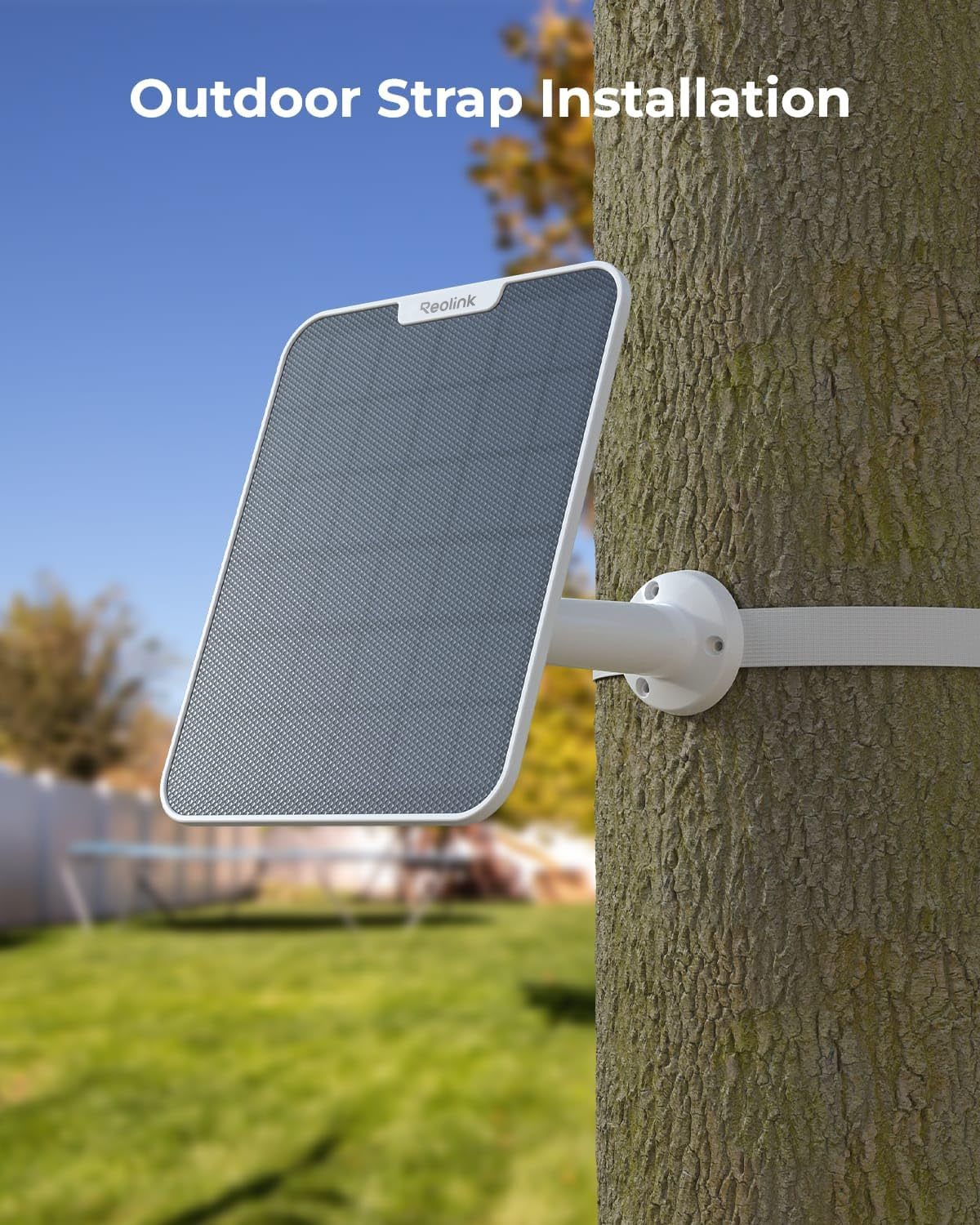
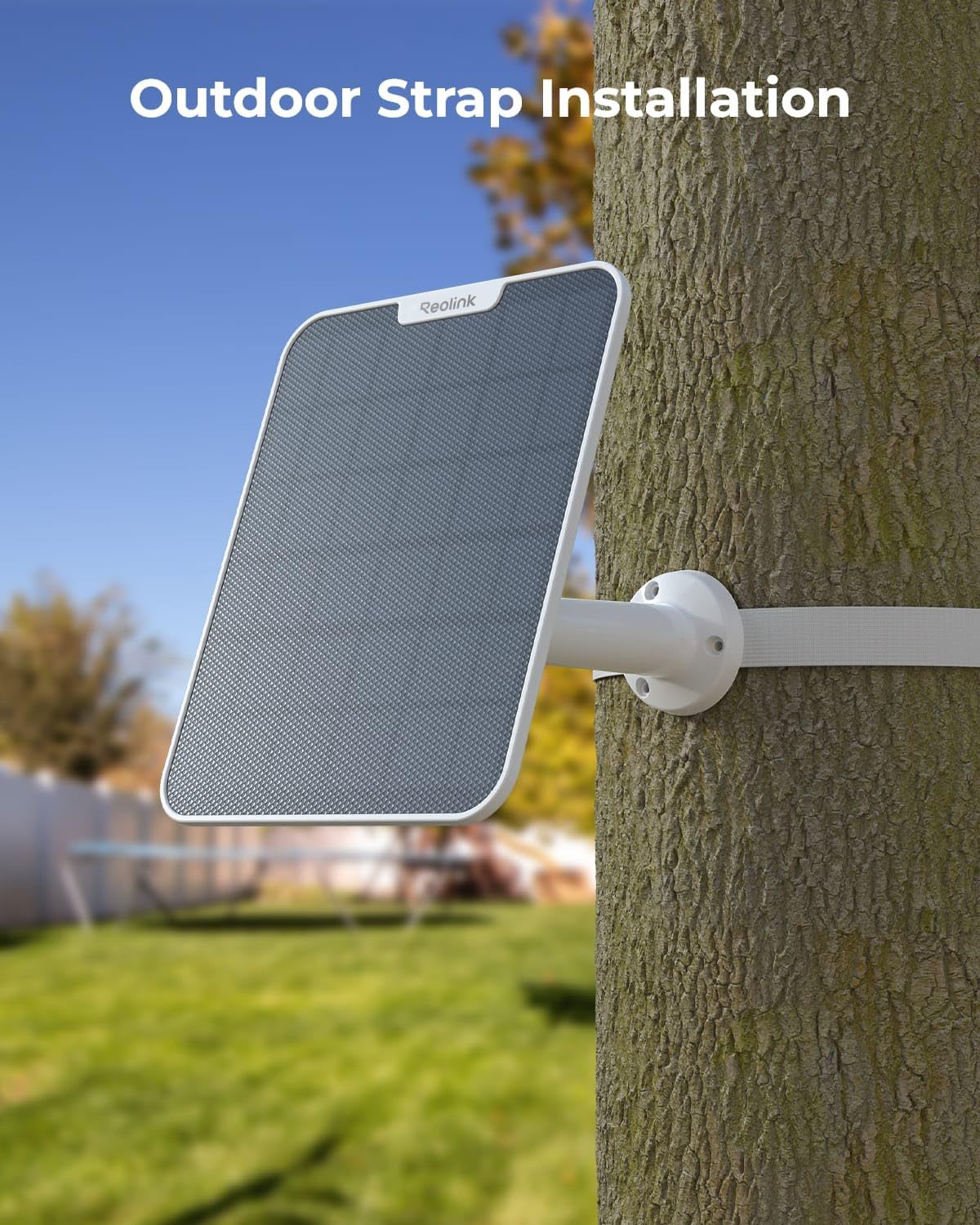
White Housing and Installation Method
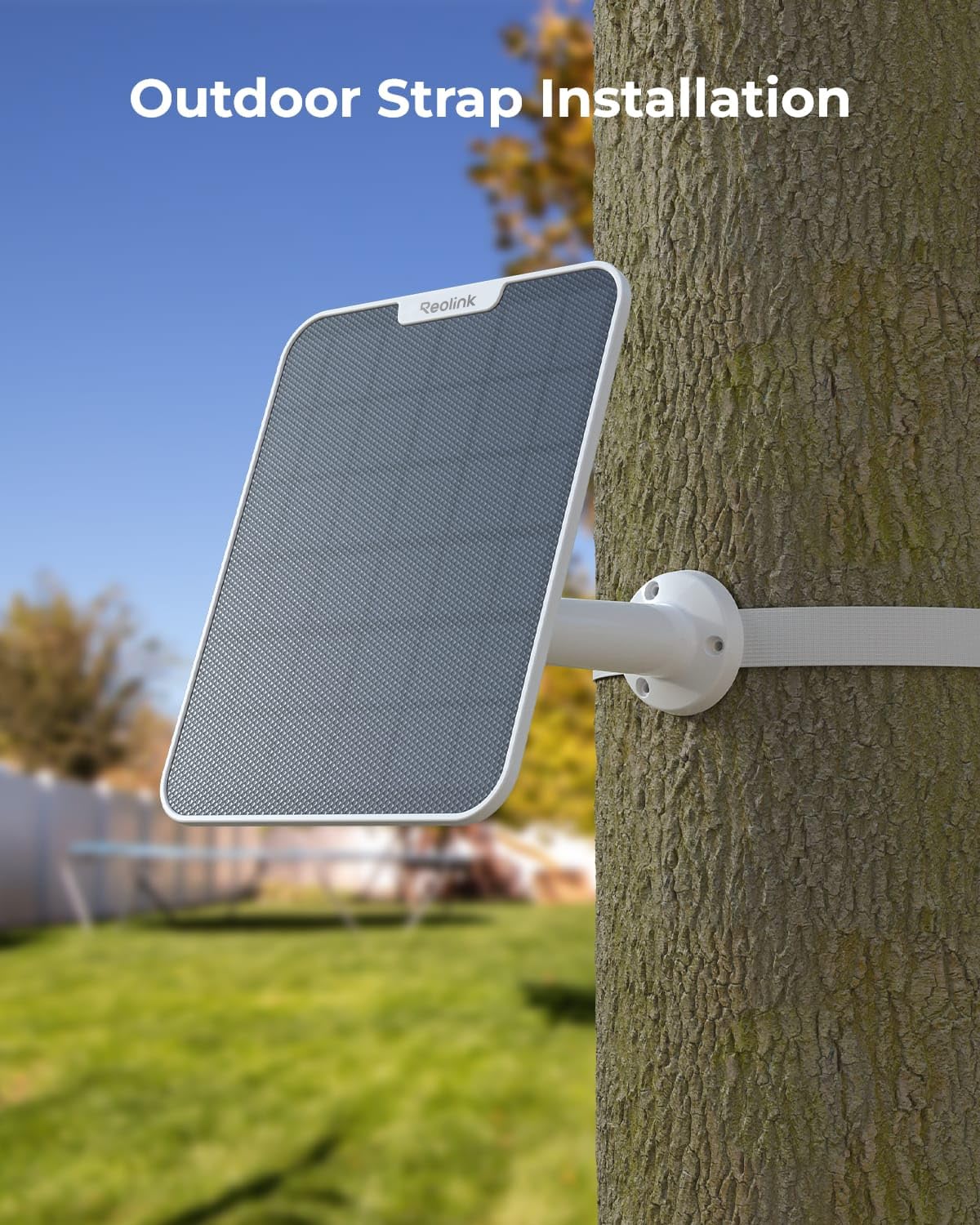
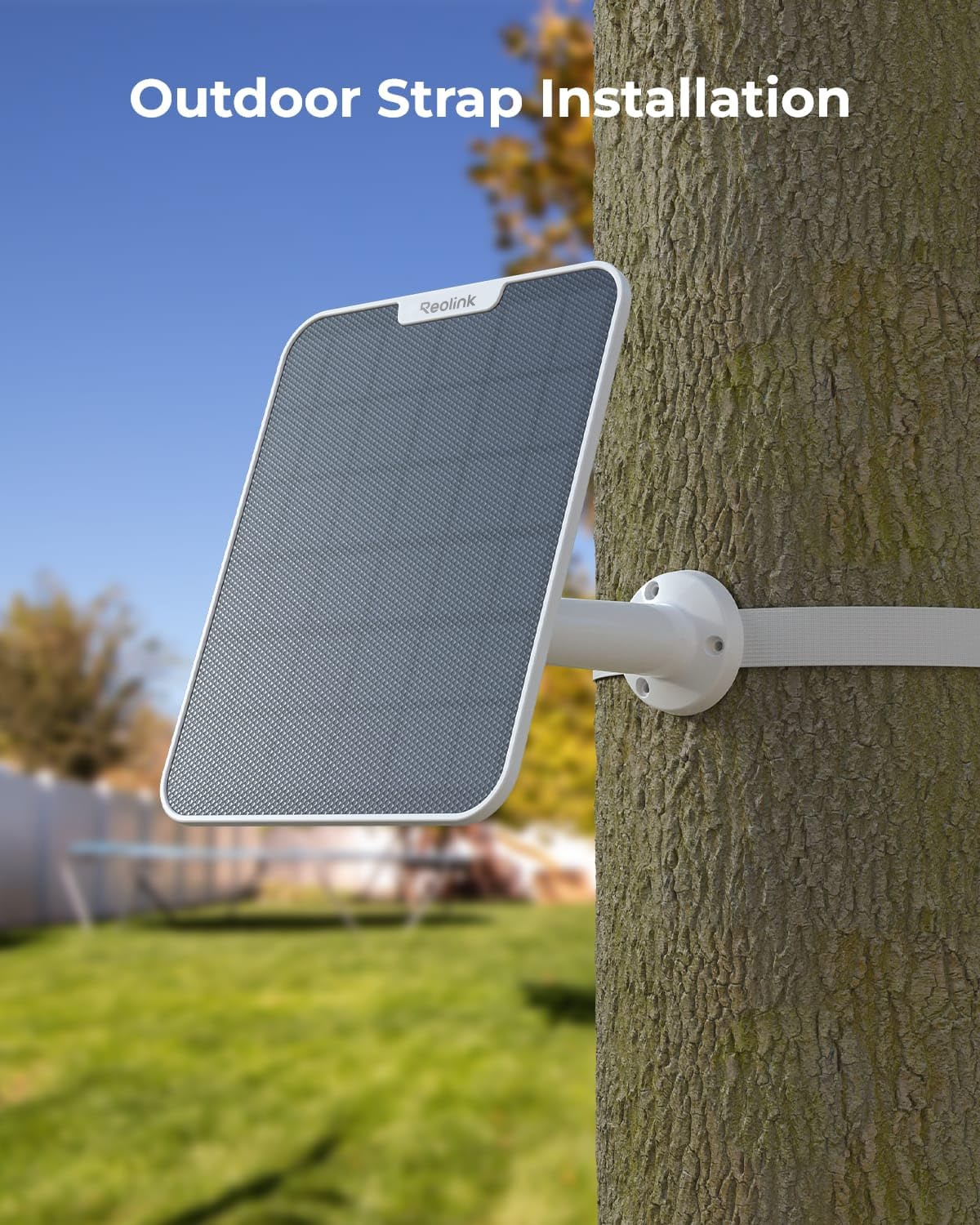
The white housing is less conspicuous on light-colored walls or residential estate exteriors, and absorbs less heat. Installation typically involves fastening the included bracket to a wall or pillar. A south-facing orientation (in Hong Kong) is ideal; avoid placing it directly beneath tree shade or where an air conditioner may drip water.
If installing on a metal awning, make sure to add waterproof washers to the fixing screws to prevent rust stains.
- The white housing is less conspicuous
- Face south where possible and avoid obstructions
- Metal surface mounting requires a waterproof pad
Three things to confirm before purchase
1. Is your camera's connector Type-C? 2. Does the installation location receive direct sunlight every day? (Glass barriers can significantly reduce output.) 3. Do you need built-in battery storage? (If so, choose 2S.)
Once these three points are confirmed, the solar panel is basically an accessory you can install and forget.
- Confirm that the connector is Type-C
- Confirm that there is direct sunlight every day
- Choose 2S if battery storage is required
Cleaning, Maintenance and Typhoon Season Preparation
The solar panel's output is highly sensitive to surface cleanliness: a thin layer of dust, bird droppings or fallen leaves can significantly reduce power generation. We recommend gently wiping the panel surface with a damp cloth every two to three months. Do not use a hard brush or solvent-based cleaners, as they may scratch the coating.
During Hong Kong's typhoon season, inspect the mounting in advance: check whether the screws are rusty, whether the bracket is loose and whether the cables may be pulled by strong winds. Before a typhoon, consider temporarily adjusting the panel to a flat angle to reduce wind exposure, then restore it afterward.
The sun is at a lower angle in winter, so the same panel usually generates less power in winter than in summer. If your system's battery level gradually decreases in winter, this is normal and does not necessarily indicate a panel fault — checking whether it recovers in spring is the simplest way to determine this.
- Wipe the panel surface clean every two to three months
- Check the mounting and cables before a typhoon
- Lower power generation in winter is normal
In the Box
The following is the contents of the Hong Kong authorized product packaging. Actual accessories are subject to the shipment batch received. If you have any questions, please confirm with us before placing an order.
- The specifications on this page are sourced from the official product summary provided by the distributor (the accessory page on the Reolink official website has been removed, so an independent specification sheet is unavailable). The official summary does not list the dimensions, conversion efficiency or output voltage.
- The package contents are subject to Reolink's official shipping configuration. The official product page does not disclose the in-box contents item by item, so our store does not speculate on the quantity of accessories. If you need to confirm a specific accessory before ordering (bracket, screw kit or whether a power adapter is included), please contact us first.
- Hong Kong authorized product, 2-year manufacturer's warranty, with local support.
Suitable Applications
Suitable for wireless battery camera users with sunlit installation locations who want to avoid regularly removing the camera to recharge it.
- Building exterior walls or eaves
- Detached houses and village houses
- Warehouses and car parks
- Temporary construction site monitoring
- Locations with access to sunlight but no power supply
Why Choose This Model
- 6W standard power output
- Direct Type-C connection with no adapter required
- 4 m cable for flexible positioning
- White casing for a less conspicuous appearance
- Compatible with the entire range of wireless battery cameras
Full Specifications
Compare within the same series
We also carry the Solar Panel 2S with a built-in 5900mAh battery; the table below summarizes the official specifications. The Solar Panel 2 White you are viewing is highlighted with a background color.
| Item | Solar Panel 2 White(SP2-W) | Solar Panel 2S |
| Maximum power | 6W | 6W |
| Interface | Type-C | USB-C |
| Cable length | 4 m | 4 m |
| Built-in battery | None | 5900mAh |
| Water resistance | Not specified in the official summary | IP67 |
| Color | White | Not specified in the official summary |
Frequently Asked Questions
Not sure whether 6W is sufficient for your installation location?
Tell us about the installation location (whether there are obstructions and the approximate hours of sunlight) and your device model, and we can help determine whether 6W or the 2S is more suitable.
Hong Kong authorized stock|2-year manufacturer warranty|Local support