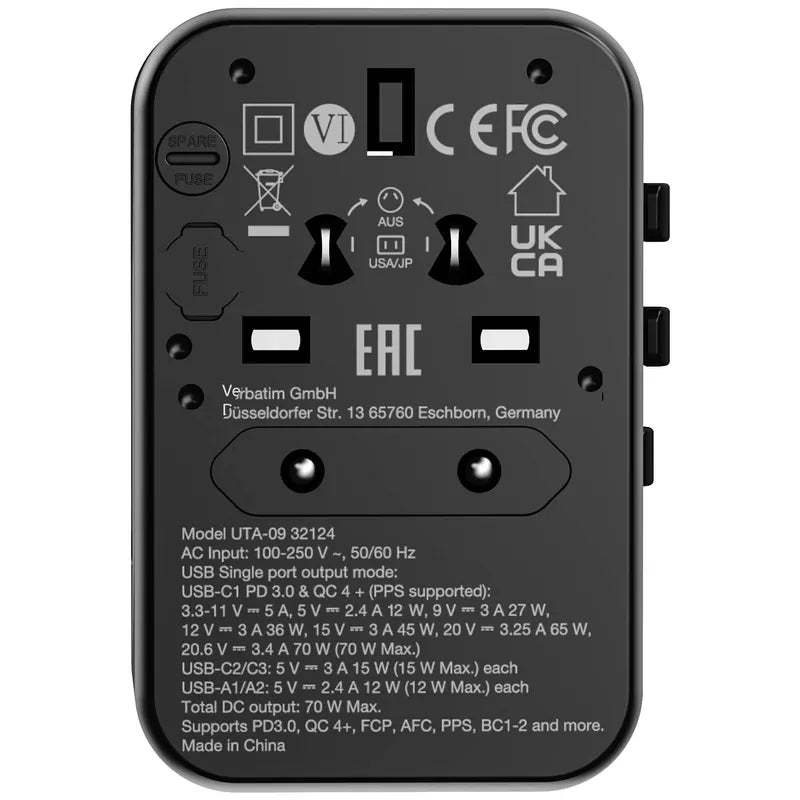
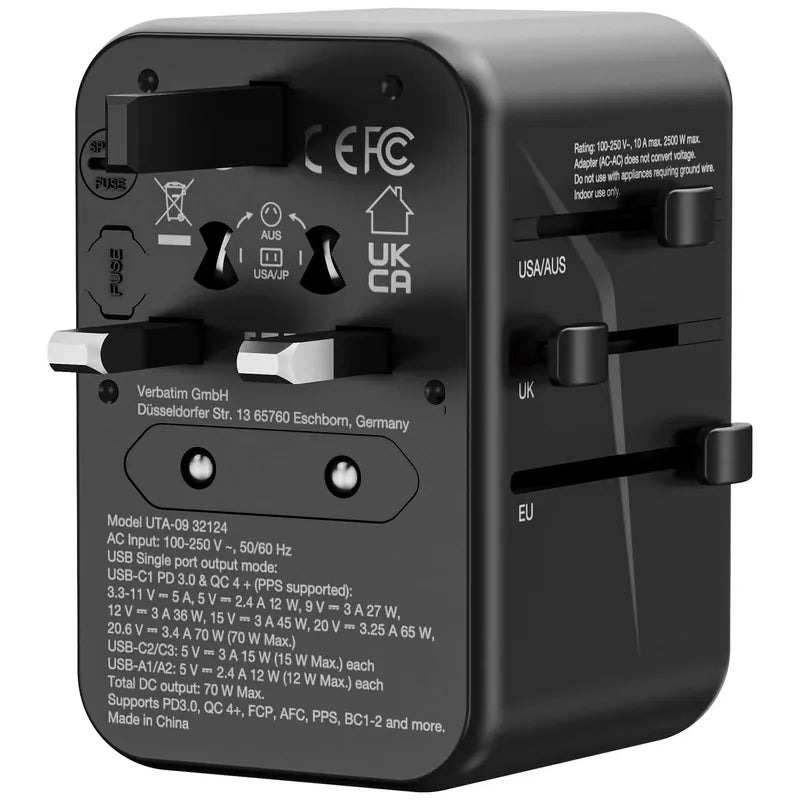
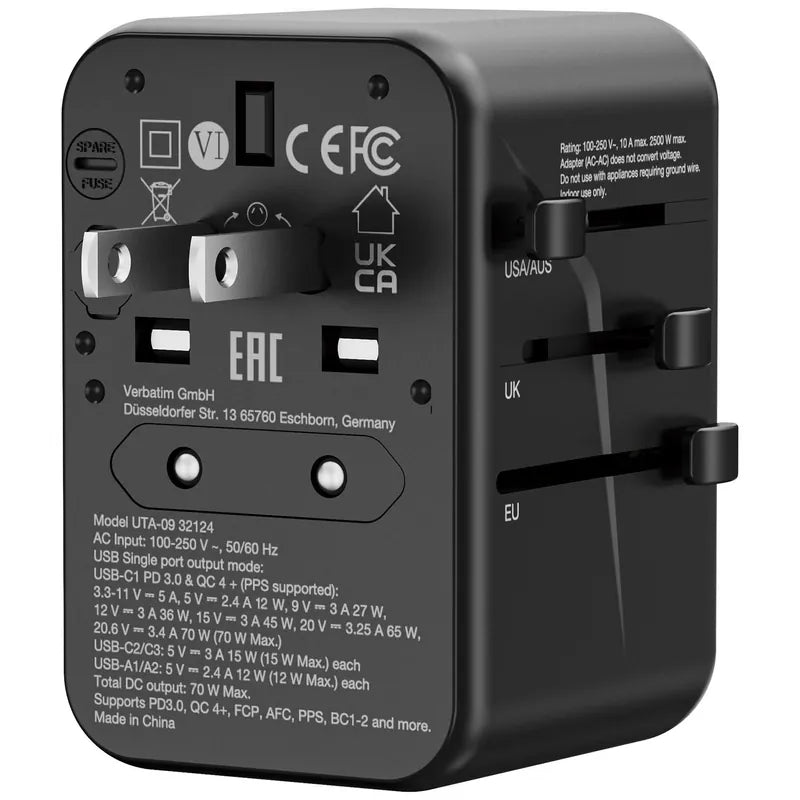
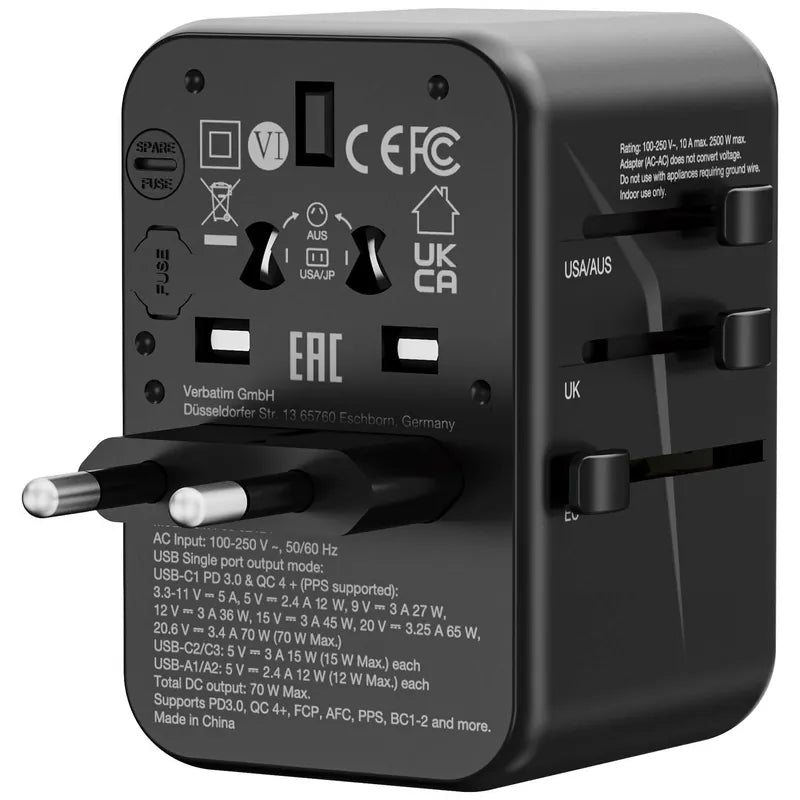
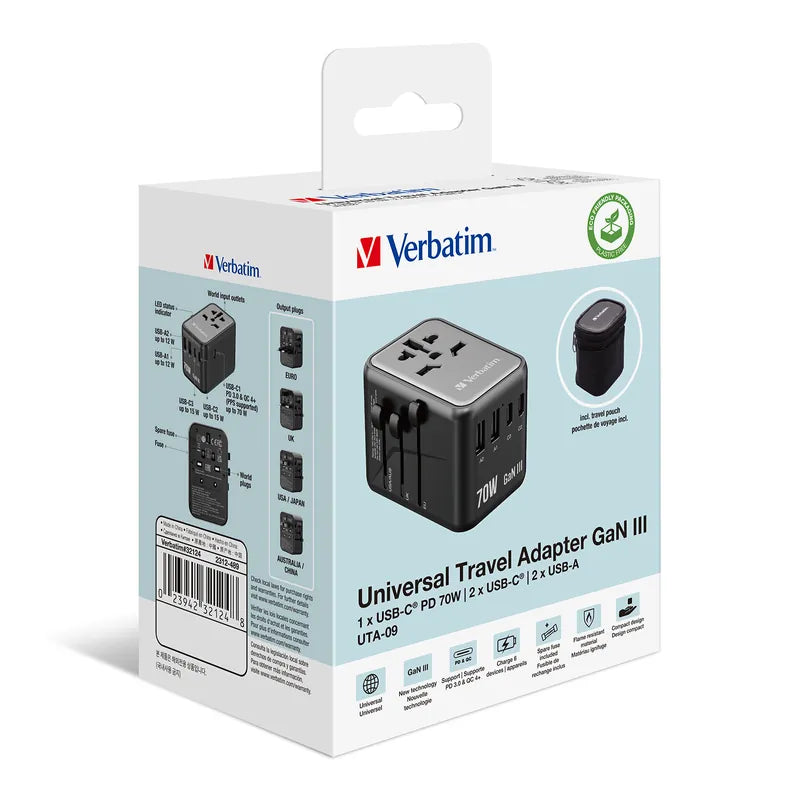
VERBATIM GaN III 70W Universal Travel Adapter - 32124
Warranty
Maintenance Terms and Conditions / Warranty Information
DIGIBAL Official Warranty Coverage
This product is Authentic Hong Kong goods, enjoy Original factory one-year warranty (Unless otherwise specified on the product page). Customers must keep this information safe. Purchase receipts and products Hong Kong distributor of skin care stickers (It is recommended to take photos for record-keeping). If the product malfunctions during the warranty period, the customer must...Contact the Hong Kong general agent directly. Arrange for testing and repair.
🌏 Overseas (US / CA / UK / SG / AU)
All products are Hong Kong official versions supplied with a UK-style 3-pin plug. Travel adapters are not included. Warranty coverage ranges from 1 to 2 years, with all servicing performed in Hong Kong. Local return warehouses available in Australia, UK and USA.
Contact CSProvide photos/videos
Submit photos/videos
Local ReturnShipping costs are paid by the customer first.
Customer pays upfront
Ship to HK Maintenance arranged by the company
Warranty processed
Reimbursement Full refund upon presentation of receipt
Full refund of postage
Overseas customers may choose between the following two options:
For other countries, please contact customer service for a return address.
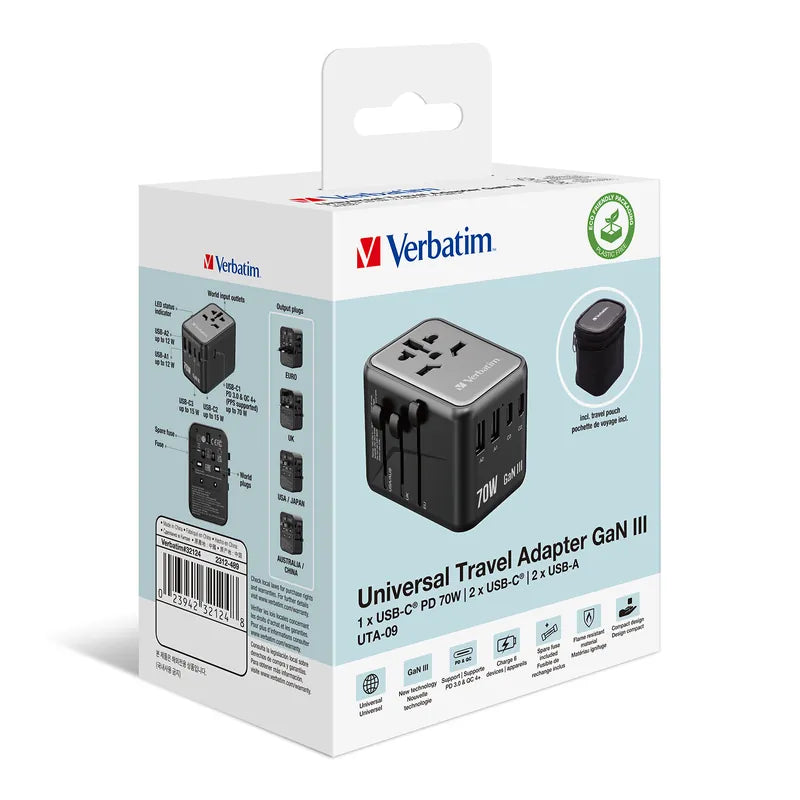
Verbatim GaN III 70W Universal Travel Adapter (32124/UTA-09)|Fast Charging for a Lightweight Laptop+Phone at the Same Time
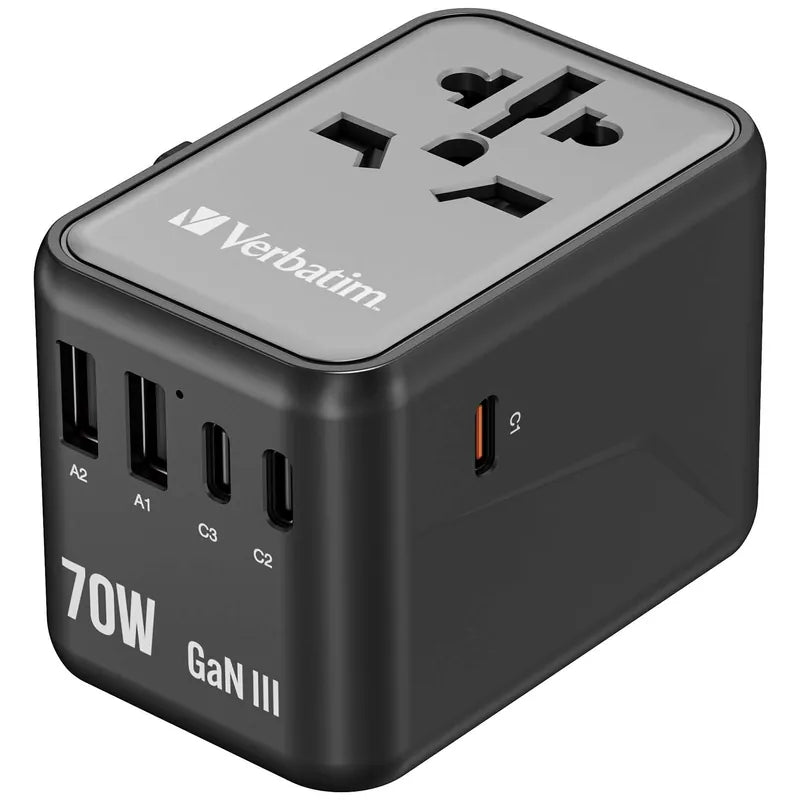
GaN III Technology|Up to 70W Total Output|Built-in Multi-Region Plugs|2× USB-C PD+2× USB-A|Compact and Portable
Product Overview
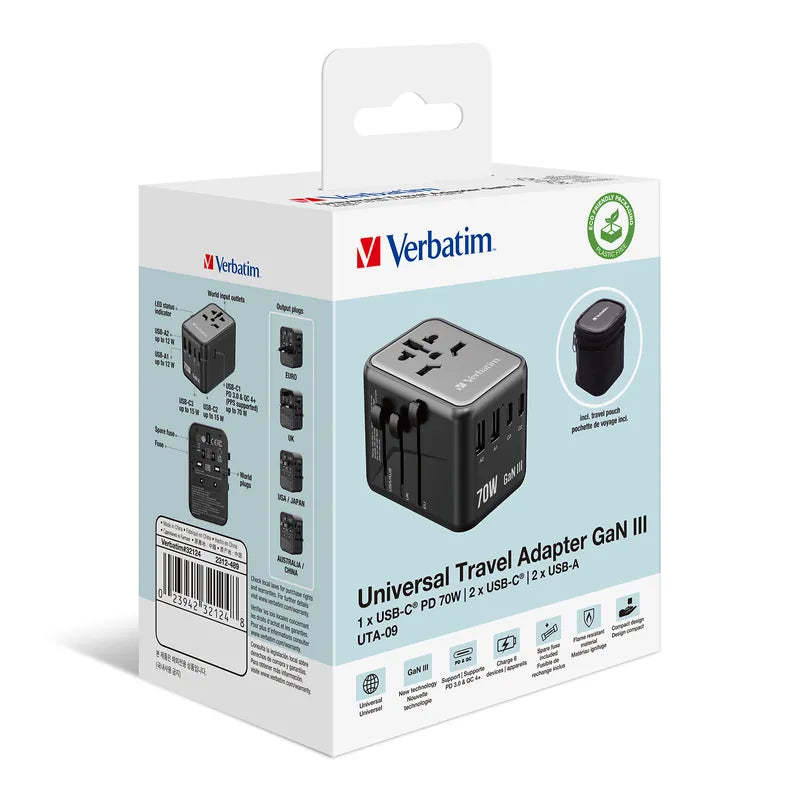
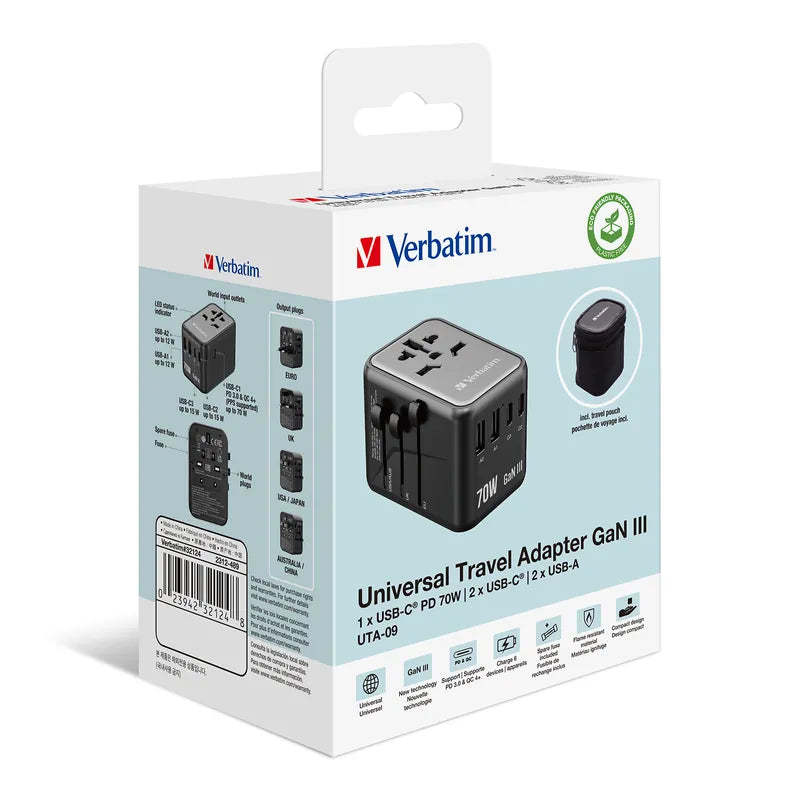
The 32124 is the lightweight version of the 140W model: it features the same built-in multi-region plugs and the same 2C+2A four-port design, but with total output reduced to 70W in exchange for a more compact size and lighter weight. For those carrying only a lightweight laptop, this is the more sensible choice.
The specifications on this page are sourced from Verbatim Hong Kong's official product page (UTA-09): GaN III technology, up to 70W total output, built-in multi-region plugs, USB-C with PD 3.0 support, USB-A with QC 3.0 support, built-in fuse, and safety shutters.
What 70W means in practice: it is enough to power most 13-inch lightweight laptops (most original chargers are rated at 45W–65W), while providing around 20W fast charging for a phone. This is the most common combination for getting through a business trip with just “one travel adapter.”
Six Key Highlights
Is 70W Enough? Check Your Laptop Charger First
The method is simple: check the wattage shown on your laptop's original charger. For 45W–65W lightweight devices (such as the MacBook Air and most 13-inch Windows laptops), 70W is more than sufficient, with even a little headroom.
However, the original chargers for 16-inch MacBook Pro models, gaming laptops, and mobile workstations are usually rated at 96W–240W. With 70W, they will only charge slowly and may even lose battery power while in use. In this case, choose the 140W version instead.
- Suitable for 45W–65W lightweight laptops
- Still has headroom while charging and in use
- High-performance laptops require the 140W version
Using All Four Ports: How the Power Is Distributed
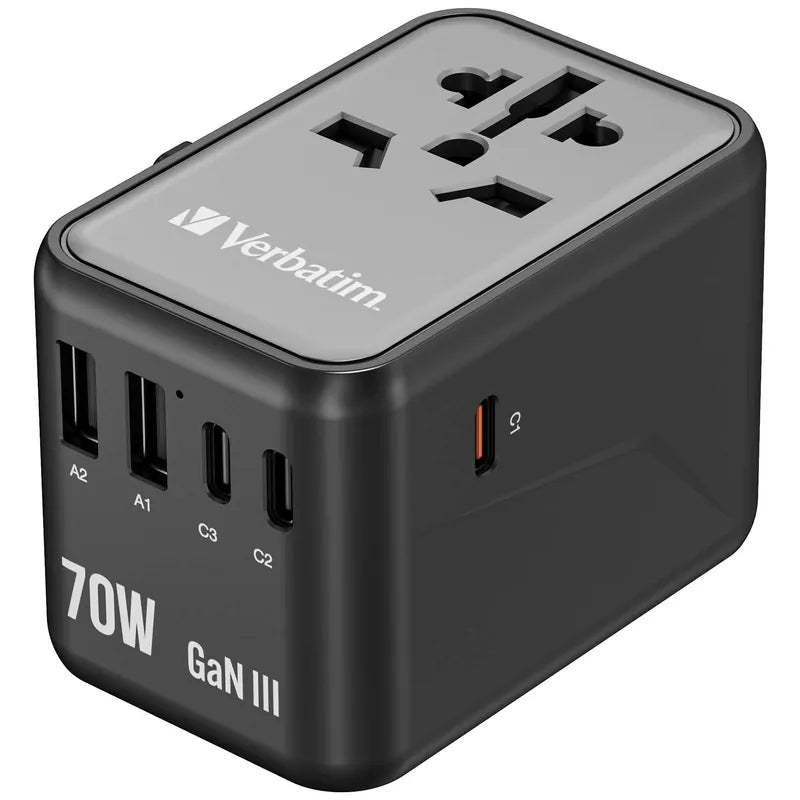
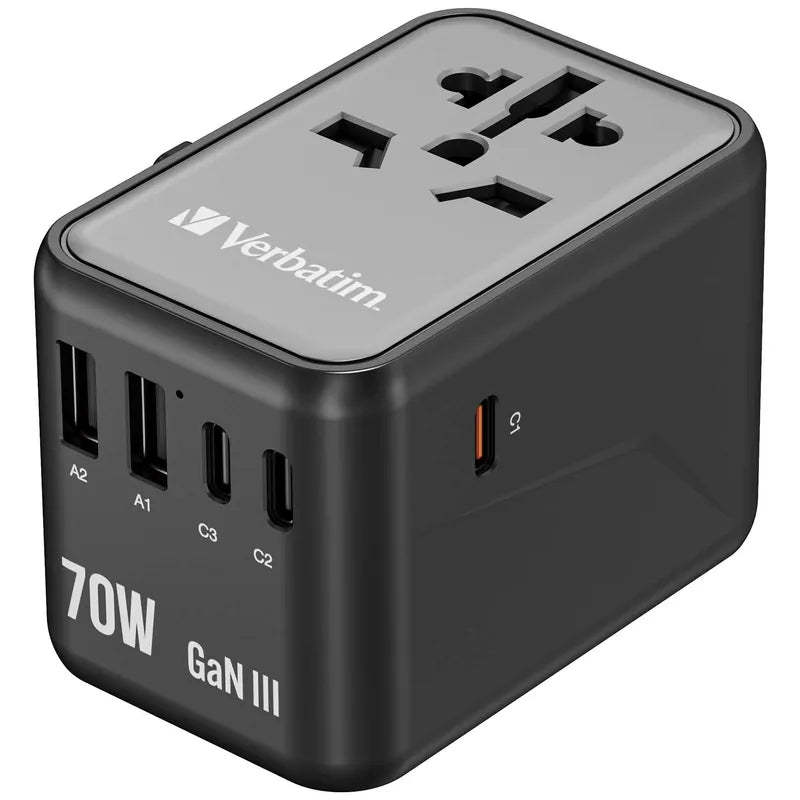
The official configuration is 2× USB-C+2× USB-A, with up to 70W total output. When all four ports are used simultaneously, power is distributed among the ports, with the laptop port usually receiving higher priority and more power.
Practical tip: the most common combination on a business trip is “laptop+phone,” and the power distribution is well balanced at 70W. If you also need to charge a tablet and a power bank at the same time, charge the power bank separately overnight instead.
- 2C+2A Four Ports
- 70W Total Output Combined
- Laptop+phone is the ideal combination
The Size Advantage of GaN III
The official specifications identify this as third-generation gallium nitride technology. Compared with conventional silicon chargers with the same power rating, GaN III offers a noticeably more compact size and lower heat generation, which is especially important for a travel adapter that plugs directly into a wall outlet.
In practice: the 70W version is one size smaller than the 140W version, and takes up virtually no space in the side pocket of a suit bag or camera bag. This is the difference that really matters to people who carry it every day.
- GaN III Technology
- More compact at the same power rating
- Suitable for everyday carry
Built-in Multi-Region Plugs and Safety Features
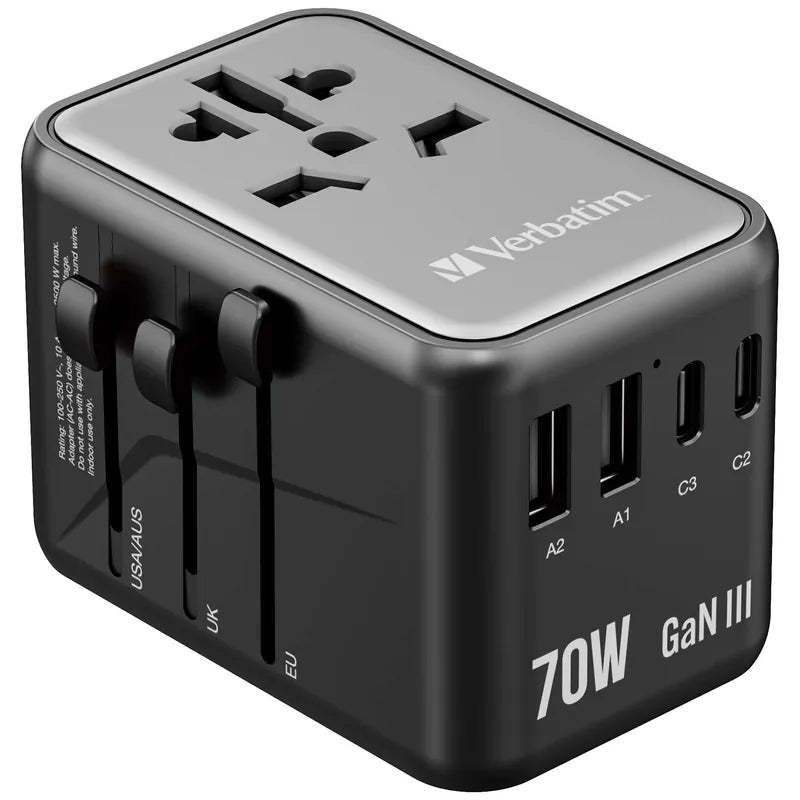
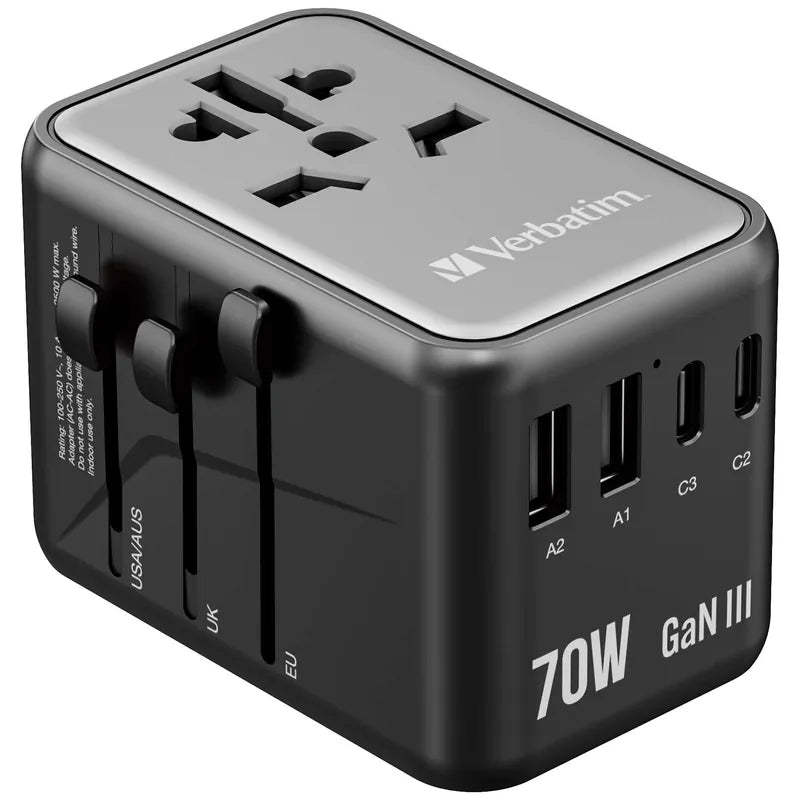
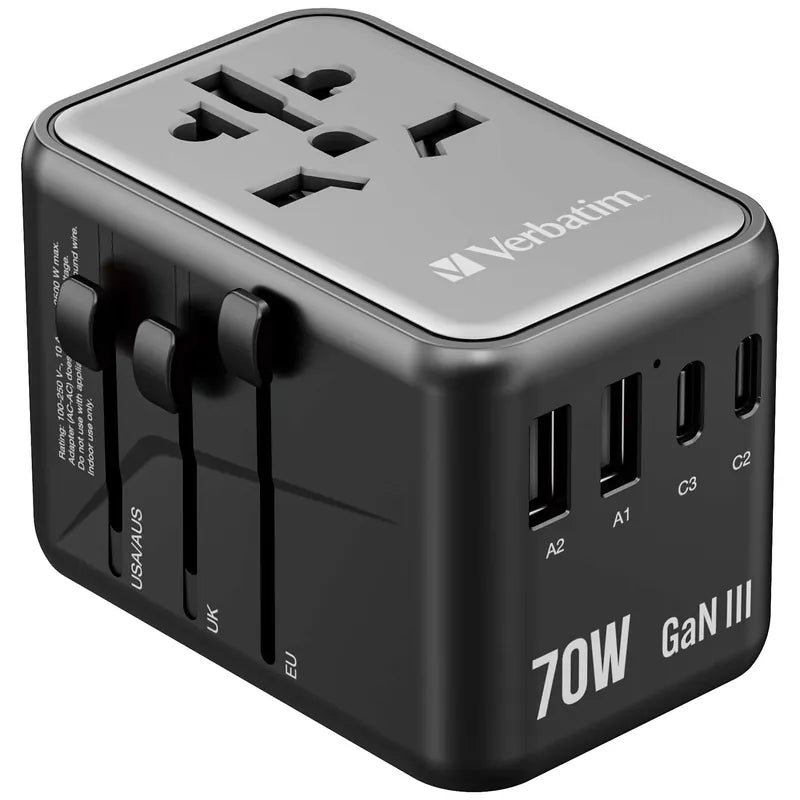
The product comes with built-in multi-region plugs, safety shutters, and a fuse. The main risks with travel adapters are unstable local voltage and loose sockets; safety shutters and a fuse are the two most basic lines of defense.
Usage reminder: after extending the plug pins, make sure they are securely locked in place. In older hotel rooms with loose sockets, it is recommended to use a local power strip instead, preventing poor contact caused by the adapter drooping under its own weight.
- Built-in Multi-Region Plugs
- Safety Shutters+Fuse
- Use with a power strip when the wall outlet is loose
PD 3.0 and QC 3.0 coverage
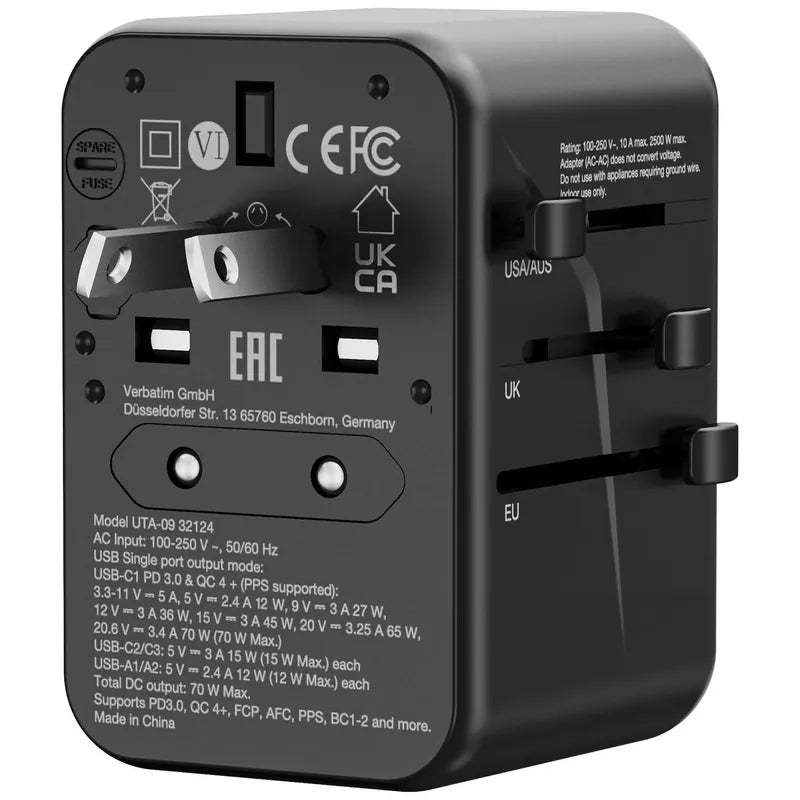
The USB-C port supports PD 3.0 (up to 70W), while the USB-A ports support QC 3.0. This combination is sufficient for most devices, including iPhones, Android phones, tablets, headphones, and power banks.
Pay attention to the cable: to reach the full 70W, the cable itself must support at least 3A. If you use an old 2A cable, the power will be limited. This is the real reason many people find that their device is plugged in but charging slowly.
- USB-C: PD 3.0
- USB-A: QC 3.0
- The cable must support at least 3A
How to choose between this and the 140W version
There are only two differences: total output (70W vs 140W) and size and weight. The port layout, multi-country plugs, and safety design are exactly the same.
Selection guide: If your laptop power adapter is ≤65W, choose 32124 (lighter and more affordable); if it is >65W or you may need to borrow a friend's gaming laptop while traveling for work, choose 32125. Choosing the higher-power version is never a bad idea, but carrying the extra weight every day is a real consideration.
- Same port and plug configuration
- The differences are total output and weight
- Choose based on your laptop power adapter's wattage
What's in the Box
The following describes the contents of the Hong Kong official-stock packaging. Actual accessories may vary by delivery batch; please contact us for confirmation before placing your order if you have any questions.
- The official product page lists the package contents as the travel adapter and storage pouch (subject to the delivery batch). The multi-country plugs are built in, so no additional adapter is required.
- This is Hong Kong official stock. Warranty terms are subject to this product page and the distributor's terms; please contact us before placing your order if you need to confirm the warranty period and coverage.
- Hong Kong official stock with local support.
Suitable Scenarios
['32124 is suitable for the following situations:']
- Ultrabooks with a 45W–65W original laptop power adapter
- You only need to charge your laptop and phone while traveling for work
- You want the lightest multi-country travel adapter
- You frequently travel between regions with different outlet standards
Why Choose This Model
- 70W supports most ultrabooks
- Built-in multi-country plugs for plug-and-play use
- 2C + 2A, four ports
- GaN III design with a compact size and low heat generation
- PD 3.0 + QC 3.0
- Lighter and more affordable than the 140W version
Full Specifications
Comparison Within the Same Series
Specifications for the three travel adapters in the same series are taken from Verbatim Hong Kong's official product pages; the model you are viewing is highlighted with a background colour.
| Item | 32124 (70W on this page) | 32125 (140W) | 32123 (45W, 5 ports) |
| Total Output | Up to 70W | Up to 140W | Up to 45W |
| Output Ports | 2C + 2A | 2C + 2A | 4C + 1A |
| Technology | GaN III | GaN III | GaN |
| Size | Smaller | Larger | Smallest |
| Suitable For | Slim laptops + phones | High-performance laptops | Multiple phones/tablets |
Frequently Asked Questions
Q: Before buying, how do I know whether it will work with the sockets at home?
A: Check the socket layout: if there are two sockets side by side, a switch directly above them, a raised frame around the socket, or the socket is close to the wall, a thick plug may press against the surrounding frame, preventing it from sitting flush and possibly blocking the switch. It is best to measure the available socket space before buying.
Q: The plug will not go in—is the product faulty?
A: No. There is nothing wrong with the plug; it is an issue with the socket layout. Any thick plug will get stuck in these positions. Use a power strip with the appropriate local safety certification to separate the plugs and it will work.
Q: Anything to watch out for when using a power strip?
A: Choose a power strip with overload protection and the appropriate local safety certification (for example, choose SAA/RCM certification in Australia/New Zealand). Plug the adapter directly into the power strip, do not connect one power strip to another, and leave enough space for ventilation.
Q: I would rather not use a power strip—any alternatives?
A: Consider a compact GaN charger. It is much smaller and will fit in narrow sockets. Save the travel adapter for trips; hotel sockets are generally more spacious and are less likely to cause clearance issues.
Q: Before buying, how do I know it fits my sockets at home?
Q: The plug will not go in - is the product faulty?
Q: Anything to watch out for with power boards?
Q: I would rather not use a power board - any alternatives?
Q: Which switch should I use when travelling to Japan/the US/Australia/the UK?
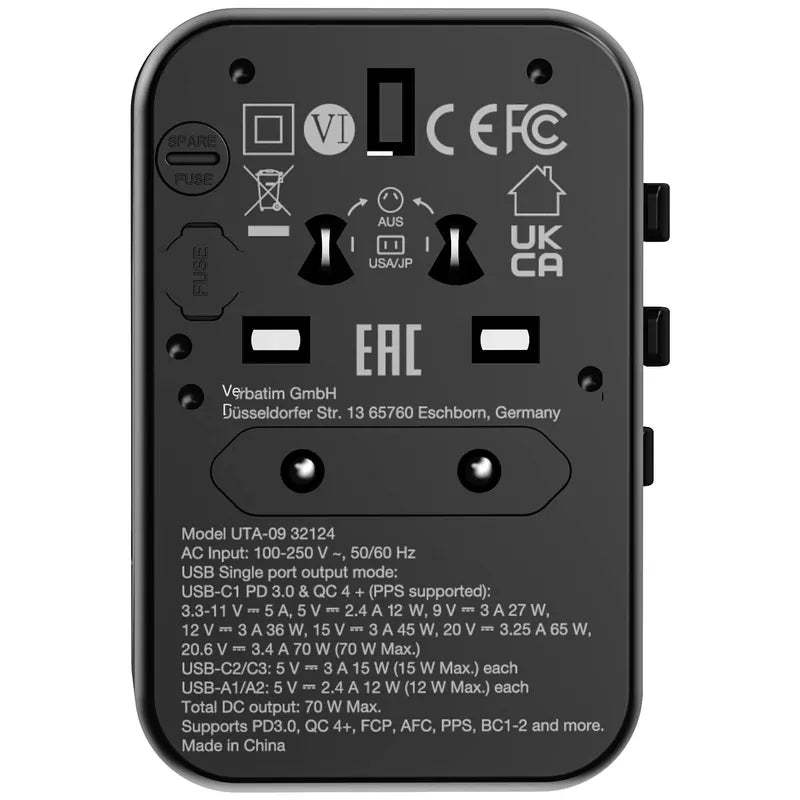
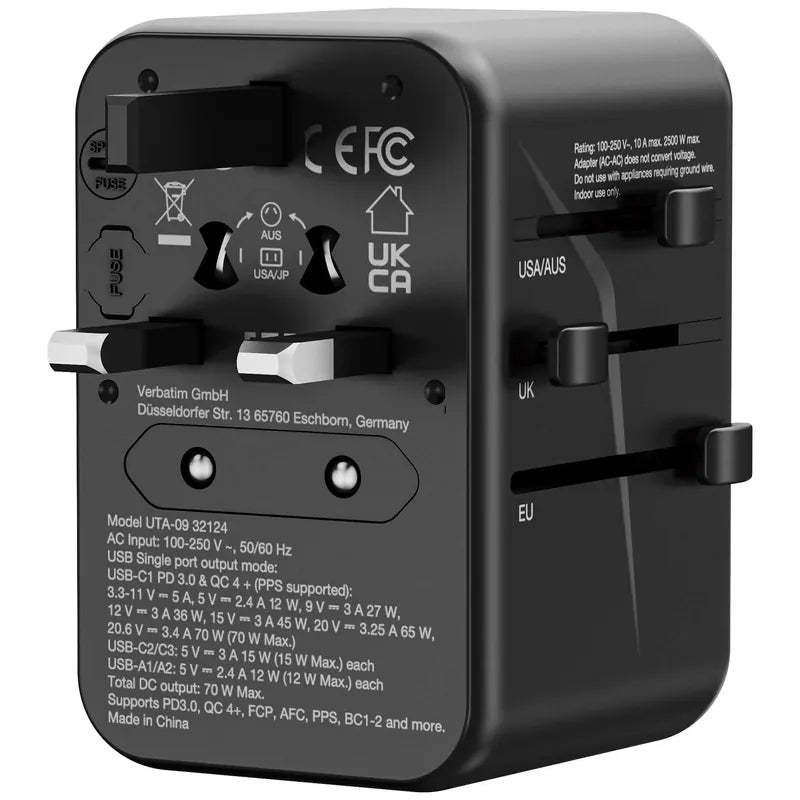
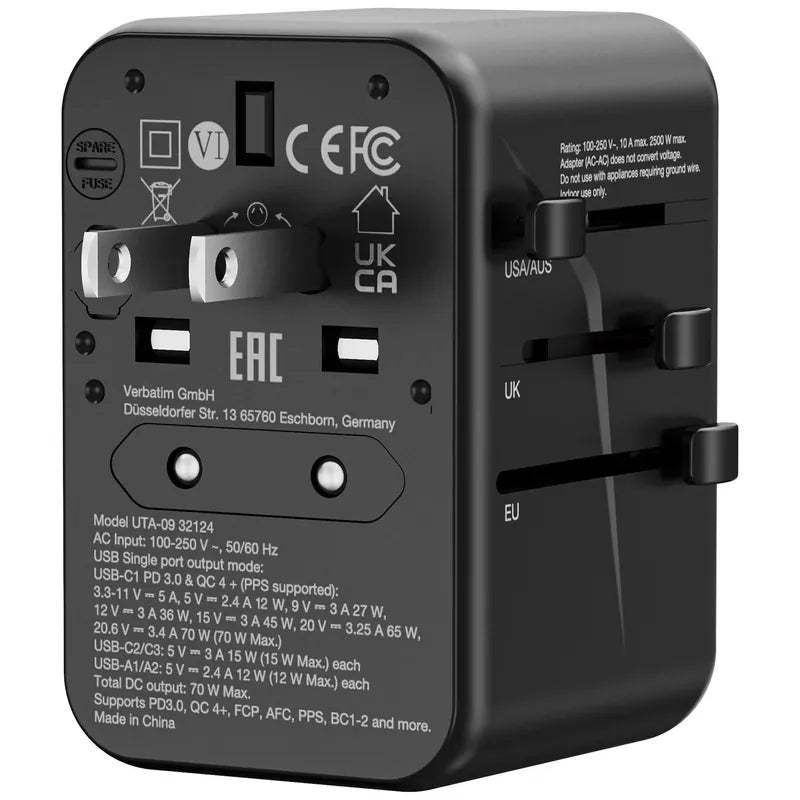
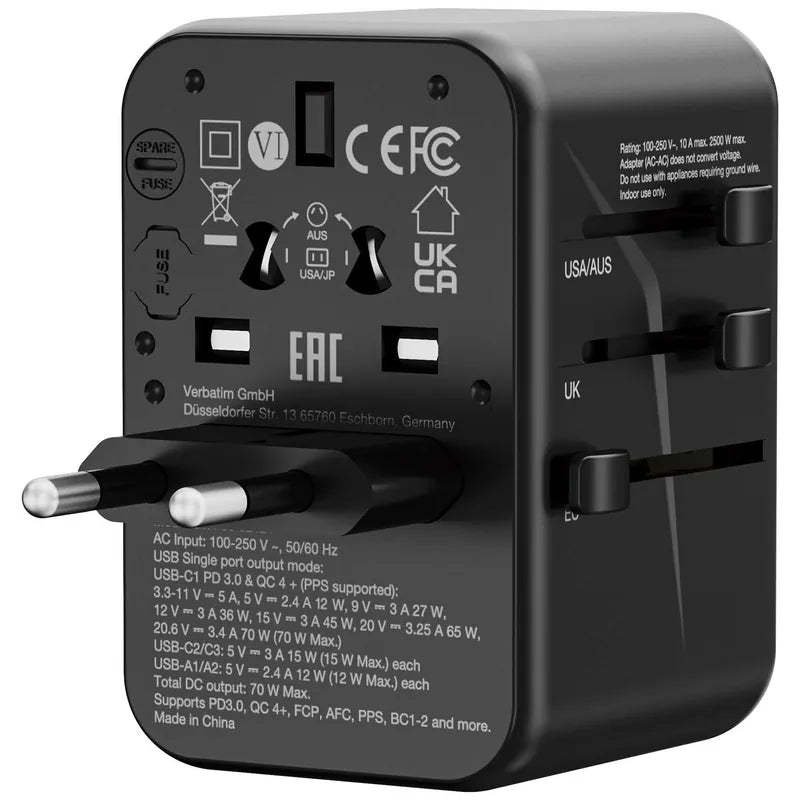
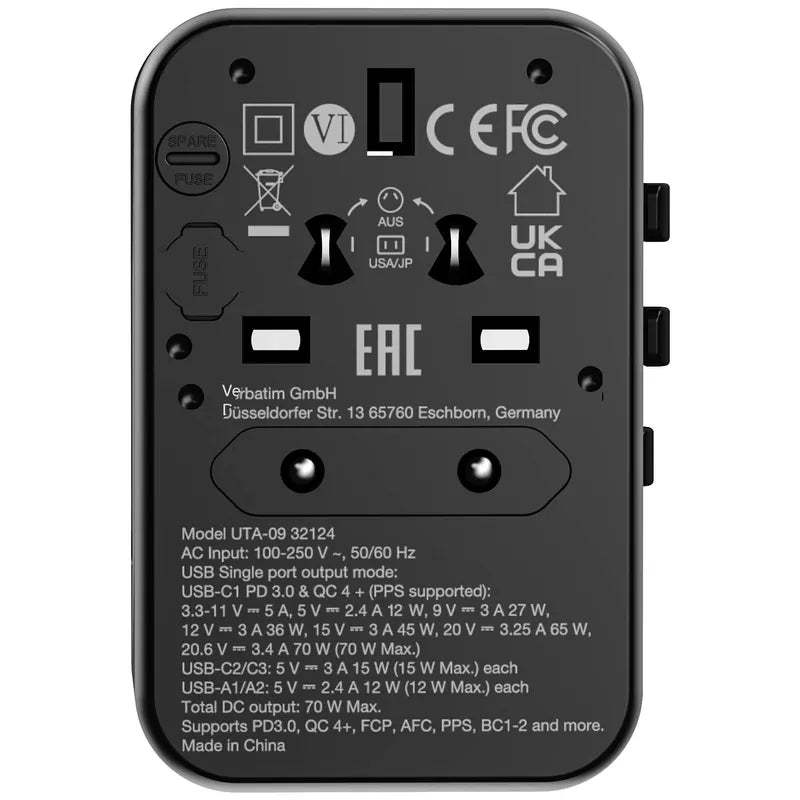
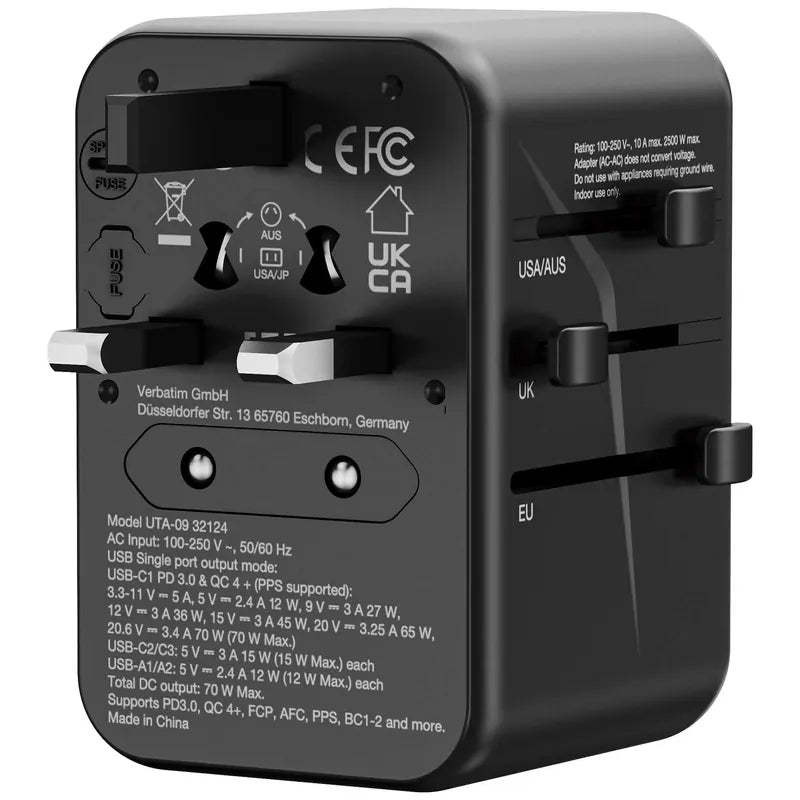
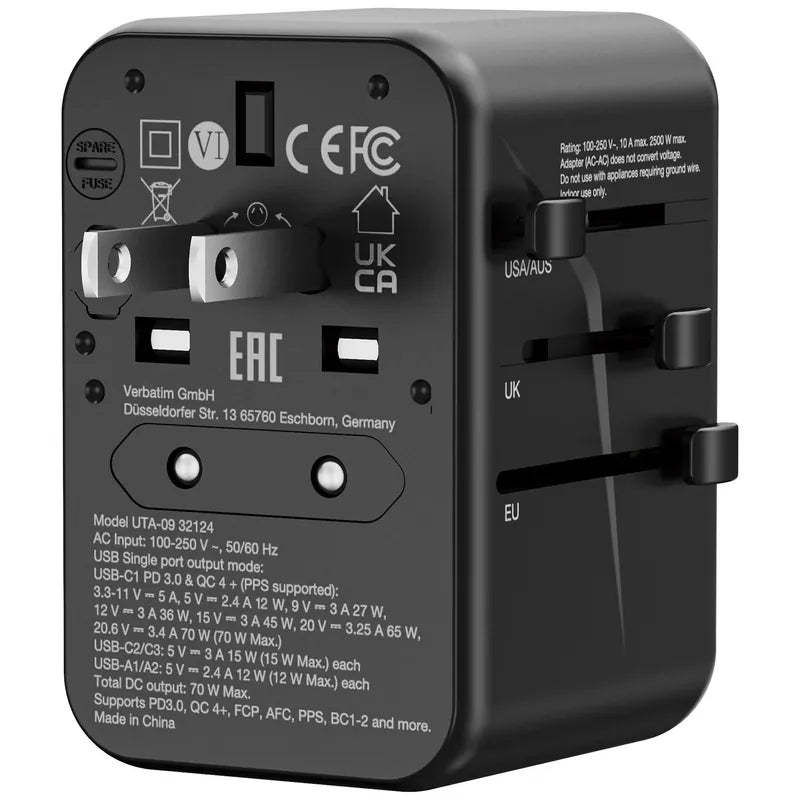
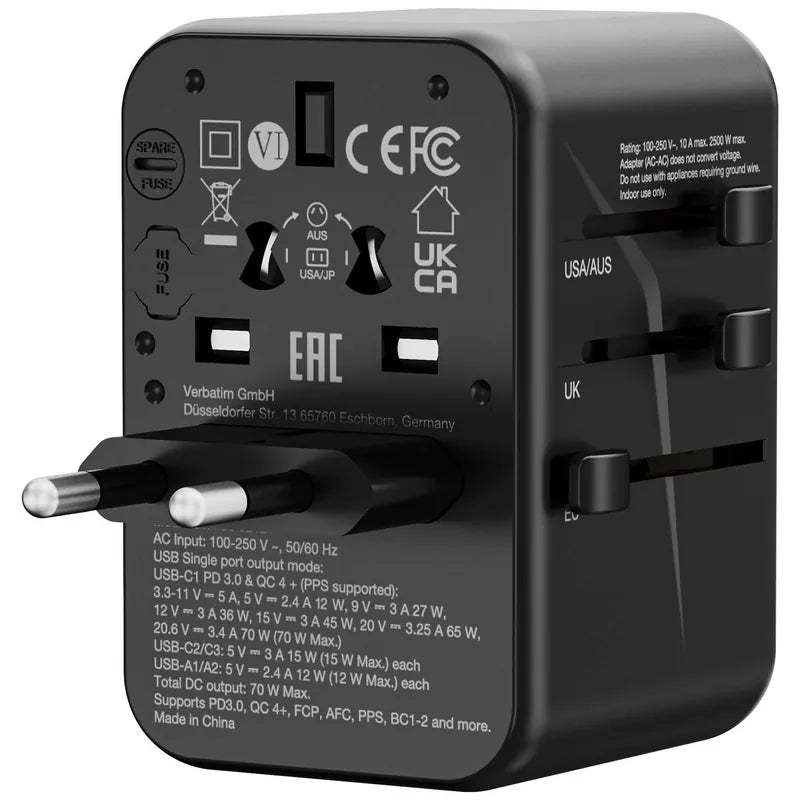
A: Slide the switch and check the label: the USA switch is for Japan/the US (flat pins); the AUS switch is for Australia/New Zealand/Mainland China (angled pins); the UK switch is for the UK/Hong Kong/Singapore (three rectangular pins); the EU switch is for Europe/South Korea (round pins). Slide out only one switch at a time. Slide the switch out before plugging in, and retract it after unplugging.
Q: Is this also a voltage converter?
A: No. A travel adapter only changes the shape of the pins; it does not convert voltage. Using a 110V-only appliance (such as certain US-made hair dryers) in a 220V region may damage it. Most modern phone, computer and camera chargers support 100–240V universally (check the fine print on the device), so confirm this before use.
Q: Can the AC socket and USB ports be used at the same time?
A: Yes. Each port supplies power independently, but the combined load must not exceed the total power limit marked on the device. When using the high-wattage USB-C port to charge a laptop, it is recommended to plug other high-power loads into separate sockets. See the specifications table for the detailed power combinations for each model.
Q: Why are there two fuse slots on the back of the device?
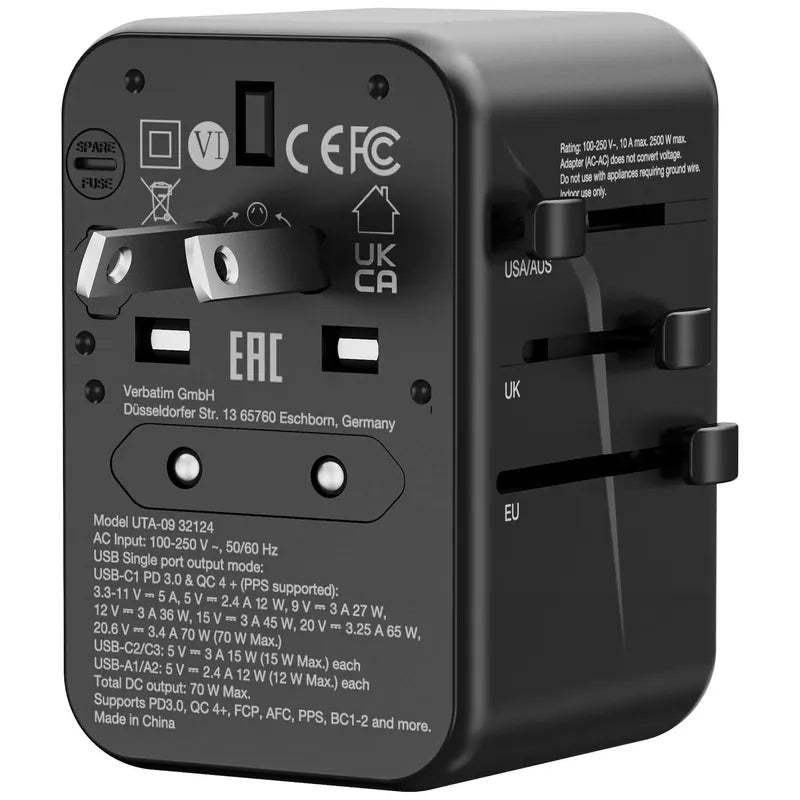
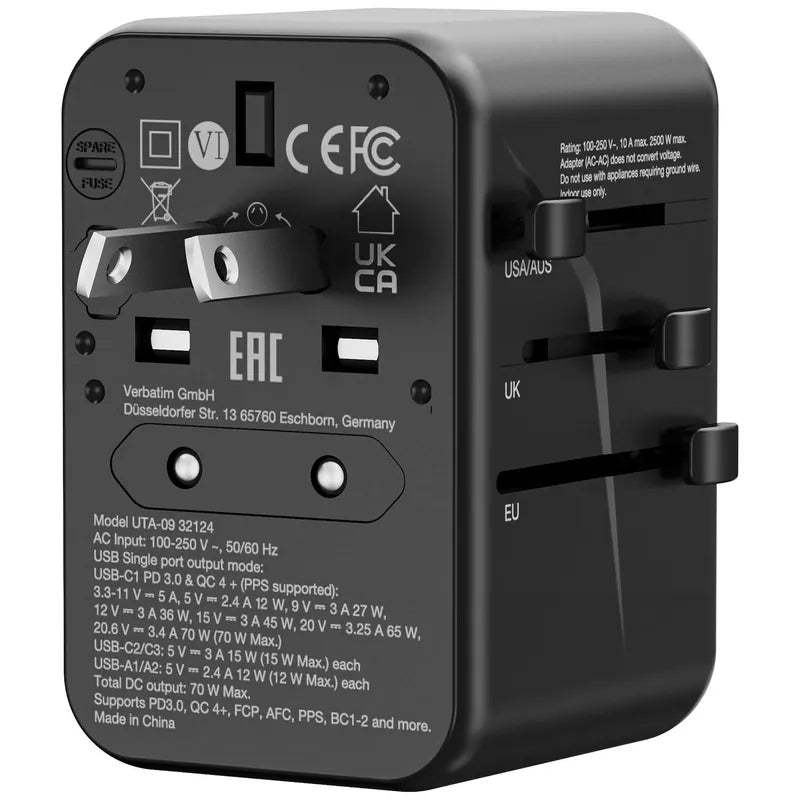
A: One slot contains the active fuse, and the other contains a SPARE FUSE. If the fuse blows due to an overload, use a small screwdriver to open it and replace it with the spare. If the replacement also blows, the load exceeds the limit—do not install a higher-rated fuse.
Q: Can I use it at home in Hong Kong every day?
A: It depends on the model: models with a UK pin setting can be plugged into Hong Kong sockets for occasional use. However, travel adapters are designed for travel, and some models carry a sticker stating that they are not designed to be connected to Hong Kong mains sockets. For long-term home use, please use a regular charger.
Q: Can I take it on a plane?
A: Yes. The travel adapter itself has no battery, so it is allowed in both carry-on and checked luggage. Note that this differs from a power bank or portable charger, which contains a battery and may only be carried in hand luggage.
Q: Which slider for Japan / the US / Australia / the UK?
A: Slide per the label: USA = Japan/US (flat pins); AUS = Australia/NZ/mainland China (angled pins); UK = UK/Hong Kong/Singapore (three rectangular pins); EU = Europe/Korea (round pins). Slide one at a time; slide out before unplugging.
Q: Is this also a voltage converter?
A: No. A travel adapter only changes the pin shape, not the voltage - a 110V-only appliance (like some US hair dryers) will burn out on 220V. Modern phone/laptop/camera chargers are mostly 100-240V universal (check the fine print on the charger) - confirm before use.
Q: Can the AC socket and USB ports be used at the same time?
A: Yes - each output is independent, but the total must stay under the rated maximum printed on the body. When charging a laptop on the high-wattage USB-C port, keep other heavy loads off. See the model spec table for combinations.
Q: Why are there two fuse slots on the back?
A: One is the active fuse, the other is the SPARE FUSE - if it blows from overload, swap in the spare with a small screwdriver. If the new one blows too, the load is over the limit - do not fit a higher rating.
Q: Can I use it daily at home in Hong Kong?
A: Depends on the model: with a UK pin mode it fits Hong Kong sockets for occasional use; but travel adapters are designed for trips, and some models carry a sticker saying they are not designed for Hong Kong mains sockets - for everyday home use, use a regular charger.
Q: Can I take it on a plane?
A: Yes. A travel adapter has no battery, so it is fine in both cabin and checked luggage. Note the difference from power banks - those contain batteries and must go in cabin baggage only.
32124: Lightweight 70W version
Tell us your laptop model, and we will help confirm whether 70W is sufficient.
Verbatim Local Support