


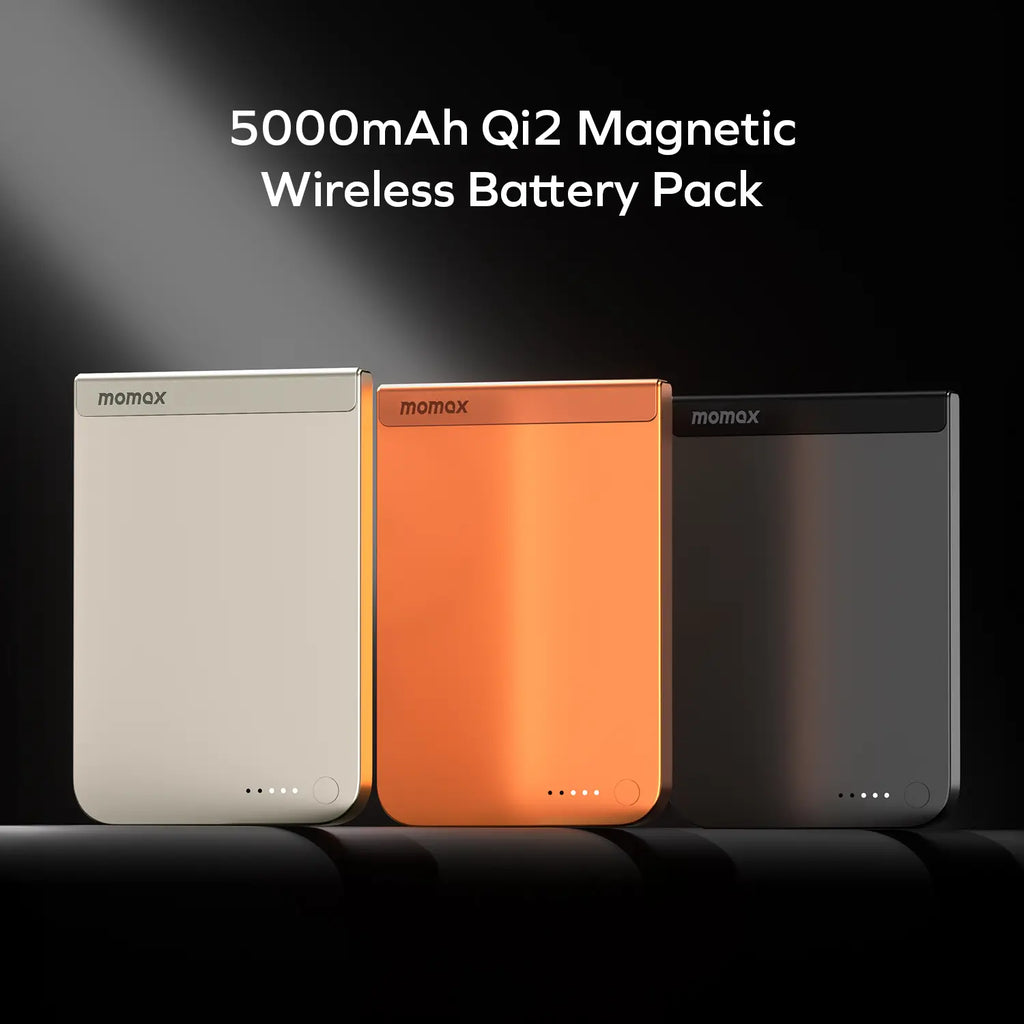
MOMAX 1-Power S.Pass 5000mAh Qi2 Magnetic Wireless Battery Pack IP161
Warranty
Maintenance Terms and Conditions / Warranty Information
DIGIBAL Official Warranty Coverage
This product is Authentic Hong Kong goods, enjoy Original factory one-year warranty (Unless otherwise specified on the product page). Customers must keep this information safe. Purchase receipts and products Hong Kong distributor of skin care stickers (It is recommended to take photos for record-keeping). If the product malfunctions during the warranty period, the customer must...Contact the Hong Kong general agent directly. Arrange for testing and repair.
🌏 Overseas (US / CA / UK / SG / AU)
All products are Hong Kong official versions supplied with a UK-style 3-pin plug. Travel adapters are not included. Warranty coverage ranges from 1 to 2 years, with all servicing performed in Hong Kong. Local return warehouses available in Australia, UK and USA.
Contact CSProvide photos/videos
Submit photos/videos
Local ReturnShipping costs are paid by the customer first.
Customer pays upfront
Ship to HK Maintenance arranged by the company
Warranty processed
Reimbursement Full refund upon presentation of receipt
Full refund of postage
Overseas customers may choose between the following two options:
For other countries, please contact customer service for a return address.
MOMAX 1-Power S.Pass 5000mAh Qi2 Magnetic Wireless Battery Pack IP161 [Hong Kong Official Product]|MOMAX Hong Kong Official Product
5000mAh 3.9V (19.5 Wh)
Product Overview
The MOMAX 1-Power S.Pass 5000mAh Qi2 Magnetic Wireless Battery Pack IP161 [Hong Kong Official Product] is a portable power bank. Official specifications: Battery power 5000mAh 3.9V (19.5 Wh); Rated capacity 3000mAh (5V=2.4A).
You May Also Need, 1-World Airliner Fire-Proof Bag
When choosing a power bank, look beyond capacity and consider how many devices it can charge simultaneously, as well as whether it offers wired or wireless charging; magnetic charging is convenient but less efficient, while wired PD charging is faster.
Six Key Features
Rated capacity
Capacity determines how many times a device can be charged; this refers to the battery cell capacity, while the actual output is slightly lower due to conversion losses.
Impact on actual use: 3000mAh (5V=2.4A)
- Battery power:5000mAh 3.9V (19.5 Wh)
- USB-C input:5V=3A, 9V=2A
USB-C input
The input specifications determine the recharging speed; a PD-compatible charger enables significantly faster recharging.
Impact on actual use: 5V=3A, 9V=2A
- Battery power:5000mAh 3.9V (19.5 Wh)
- Rated capacity:3000mAh (5V=2.4A)
USB-C output
The output specifications determine which devices can be fast-charged; the protocols must be compatible for fast charging to activate.
Impact on actual use: 5V=2.4A, 9V=2.22A (PD20W max)
- Battery power: 5000mAh 3.9V (19.5 Wh)
- Rated capacity: 3000mAh (5V=2.4A)
Wireless output
The output specifications determine which devices can fast-charge; the protocol must be compatible for fast charging to activate.
Real-world impact: MPP 15W
- Battery power: 5000mAh 3.9V (19.5 Wh)
- Rated capacity: 3000mAh (5V=2.4A)
Dual output
The output specifications determine which devices can fast-charge; the protocol must be compatible for fast charging to activate.
Real-world impact: 5V=3A
- Battery power: 5000mAh 3.9V (19.5 Wh)
- Rated capacity: 3000mAh (5V=2.4A)
Safety certification
Safety certification covers overcharge, overcurrent, and short-circuit protection.
Real-world impact: CE, FCC, CCC, RoHs, UN38.3
- Battery power: 5000mAh 3.9V (19.5 Wh)
- Rated capacity: 3000mAh (5V=2.4A)
What's in the box
The following are the contents of the Hong Kong official-stock packaging. Actual accessories may vary by shipment batch; please contact us for confirmation before placing your order if you have any questions.
- Packaging contents may vary by shipment batch. Please contact us before placing your order if you need to confirm any specific accessories.
- Hong Kong official stock; warranty coverage is subject to this product page and the distributor's terms.
Suitable scenarios
MOMAX 1-Power S.Pass 5000mAh Qi2 Magnetic Wireless Battery Pack IP161 [Hong Kong Official Stock] is suitable for the following situations:
- You May Also Need
- 1-World Airliner Fire-Proof Bag
Why choose this model
- Battery power: 5000mAh 3.9V (19.5 Wh)
- Rated capacity: 3000mAh (5V=2.4A)
- USB-C input: 5V=3A, 9V=2A
- USB-C output: 5V=2.4A, 9V=2.22A (PD20W max)
- Wireless output: MPP 15W
- Dual output: 5V=3A
Full specifications
Compare within the same series
The table below lists the actual specifications of this model, so you can compare them with the requirements of your device when making your purchase.
| Item | MOMAX 1-Power S.Pass |
| Battery power | 5000mAh 3.9V (19.5 Wh) |
| Rated capacity | 3000mAh (5V=2.4A) |
| USB-C input | 5V=3A, 9V=2A |
| USB-C output | 5V=2.4A, 9V=2.22A (PD20W max) |
| Wireless output | MPP 15W |
| Dual output | 5V=3A |
| Safety certification | CE, FCC, CCC, RoHs, UN38.3 |
| Materials | Glass, aluminum, fireproof PC, ABS |
Frequently Asked Questions
Q:Before buying, how can I tell whether my phone case works with magnetic charging?
A:Check your case first: only a MagSafe magnetic case or a case with a magnet ring on the back can snap on and lock firmly. Plain leather cases and regular hard cases without a magnet ring will only provide a weak hold through the case and can slide off easily. Consider what type of case you are using before buying.
Q:My case does not have a magnet ring. Can I still charge?
A:Yes. Connect the power bank to your phone with a USB-C cable and it will charge as usual (some models even include a built-in short USB-C cable; refer to the package contents). Magnetic attachment is simply a convenient snap-on charging feature, not the only way to charge.
Q:To get a firmer hold, should I add a magnet ring or change the case?
A:Either option works: adding a magnet ring is the quickest and most affordable solution—align it with the centre of the phone's charging coil when applying it. A MagSafe magnetic case is the most secure option, as it locks directly onto the phone. Consider whether you want to keep your current case before buying.
Q:Why does the power bank slide off so easily after I attach it?
A:In most cases, this is because the phone case does not have a magnet ring—the connection is already loose when attached, so it can slide off when knocked or placed in a bag. This is a physical phenomenon, not a fault. Adding a magnet ring or switching to a magnetic case will solve the problem.
Q: Before buying, how do I know if my phone case works with magnetic charging?
A: Check your case first: a MagSafe case, or one with a magnet ring on the back, snaps on and locks firmly. Plain leather or hard cases without a ring let the magnets grip only weakly through the shell, so the pack slides off easily. Consider your case before buying.
Q: My case has no magnet ring - can I still charge?
A: Yes. Connect the power bank and your phone with a USB-C cable (some models include a built-in short USB-C cable - see the package list); magnetic attachment is just the snap-on convenience, not the only way to charge.
Q: To get a stronger hold, should I add a ring or change the case?
A: Both work: a magnetic ring is the quickest fix - centre it on the back of your phone; a MagSafe case is the most secure, locking directly onto the phone. Consider whether you want to keep your current case.
Q: Why does the power bank slide off so easily?
A: Most likely your case has no magnet ring - the connection sits loose from the moment it attaches and slides off at a touch or in a bag. That is physics, not a fault; a ring or a MagSafe case solves it.
Q: The brand-new unit will not charge anything / the button does nothing?
A: New units generally ship with some reserve charge, but long-distance transport may put them into shipping-protection mode: press and hold the power button for about 5 seconds to wake it up; if it still does not respond, use a proper charger to charge the power bank itself for 10–15 minutes to unlock it. Once the LED lights up, charge your device.
Q: Why does charging earbuds, a watch, or other small devices stop after a while?
A: The power bank automatically shuts down to save power when it cannot detect sufficient current. Double-press the power button to enable trickle (low-current) mode before charging earbuds or a watch, then double-press again to return to normal mode after charging.
Q: Charging stops and starts, or the power bank gets slightly warm?
A: This is usually caused by overheat protection. Hot weather, direct sunlight, or using the device while charging can trigger it. Move it to a cool, shaded place and let it cool down before using it again. It may also be caused by poor cable contact, so try another certified cable. Overheat protection is a safety feature, not a fault.
Q: Why does charging my phone stop at 80%?
A: This is the phone’s own battery protection feature (optimised charging), not a problem with the power bank. Depending on your usage habits, the phone may pause charging at 80%. Unplug it and use the phone, or turn off optimised charging to continue.
Q: The magnetic / wireless charging pad shows no response when I place my phone on it?
A: After placing your phone on it, wait 2–3 seconds for the devices to establish a connection before charging starts. Align the centre of the phone with the charging coil. A very thick or metal case may block the signal, so remove the case for the most accurate test.
Q: The power bank itself charges very slowly or does not reach full charge?
A: Use a sufficiently powerful charger and a certified cable (e.g. 20W or above with PD) for faster charging. Also make sure you are using the port marked as input, as some ports are output only.
Q: The brand-new unit will not charge anything / the button does nothing?
A: New units ship with reserve charge but may enter shipping-protection mode after long transit: press and hold the power button for about 5 seconds to wake it; if still unresponsive, charge the power bank itself with a proper charger for 10-15 minutes to unlock - once the LED lights up, charge your device.
Q: Charging earbuds or a watch stops after a moment?
A: The bank auto-shuts when it detects a tiny current. Double-press the power button to switch to trickle (low-current) mode for earbuds and watches, then double-press back to normal mode afterwards.
Q: Charging starts and stops, or the body gets a little warm?
A: Usually the over-heat protection: hot weather, direct sun, or charging while using the device can trigger it - move to a cool spot and let it cool; it can also be a loose cable, try a certified cable. Over-heat protection is a safety feature, not a fault.
Q: Why does my phone stop at 80% when charging from the bank?
A: That is the phone's own battery optimisation, not the power bank - the phone pauses at 80% based on usage habits; take it off charge to continue, or turn off optimised charging.
Q: The magnetic / wireless pad shows no response with my phone on it?
A: Wait 2-3 seconds after placing the phone - sensing takes a moment; centre it on the charging coil; a very thick or metal case blocks sensing - test without the case.
Q: The power bank itself charges slowly or never reaches full?
A: Use a sufficiently powerful charger and a certified cable (e.g. 20W+ PD); also check you are using the port marked as input - some ports are output only.
MOMAX 1-Power S.Pass 5000mAh Qi2 Magnetic Wireless Battery Pack IP161 [Hong Kong Official Stock]: Choose Based on Your Device
Tell us which devices you will be charging and how many you will use at the same time, and we will help confirm whether this model is suitable for your needs.
MOMAX | Local Support


